
Revenue accrual report on dashboard
The dashboard tracks accrued revenue (delivered but uninvoiced work) and accrued costs (received but unpaid services) with detailed breakdowns.
Table of contents
Accrual accounting reports both accrued revenue and accrued costs. This is critical for tracking income and expenses that have been earned/incurred but not yet invoiced/paid. It helps ensure financial statements reflect the true state of the business at month-end or any selected date
What is shown:
Accrued revenue: Amount of delivered (completed) work that has not yet been invoiced, i.e., orders where goods have been picked up/delivered but an invoice hasn’t been issued yet.
Accrued costs: Cost for services or goods received where a carrier invoice hasn’t been received or booked yet, i.e., work subcontracted to another company but not yet billed to the company.
Breakdown by source: Revenue/costs are split between those carried out by the company fleet and those carried out by contract carriers. Stacked/bar graphs visualize these splits over time.
Line-item detail: Tables list individual charges or purchase lines with their status, operations date, and whether they have been invoiced/booked, for full transparency.
\
Typical dashboard views {#h_4474672ba8}
Charts:
-
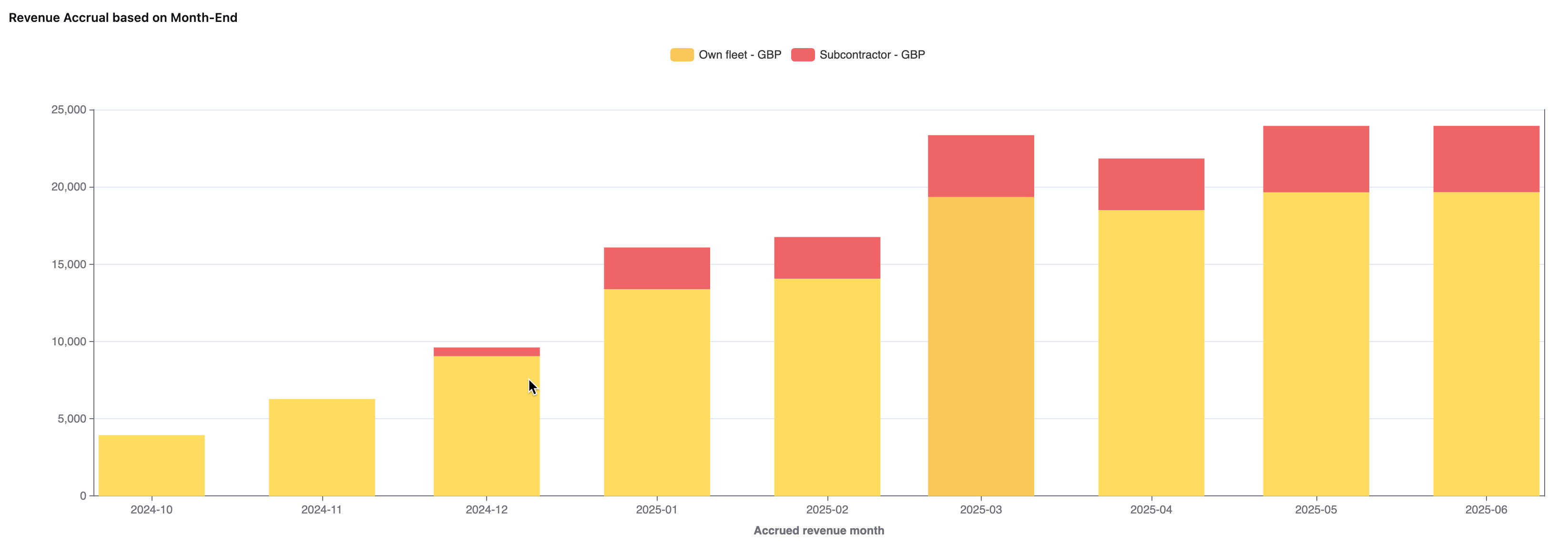
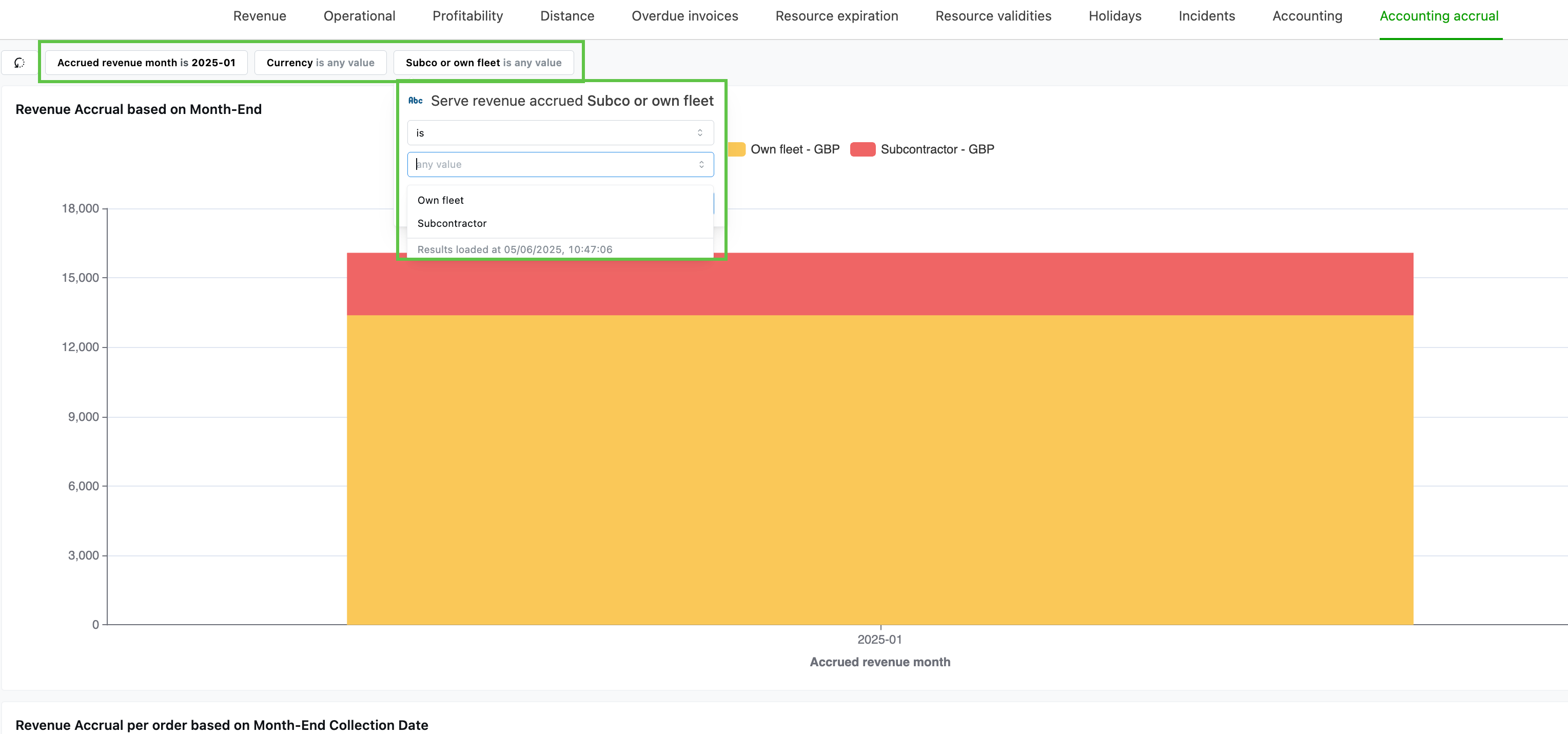
Stacked bar charts comparing accrued revenue, split by company fleet and contract carriers.
-
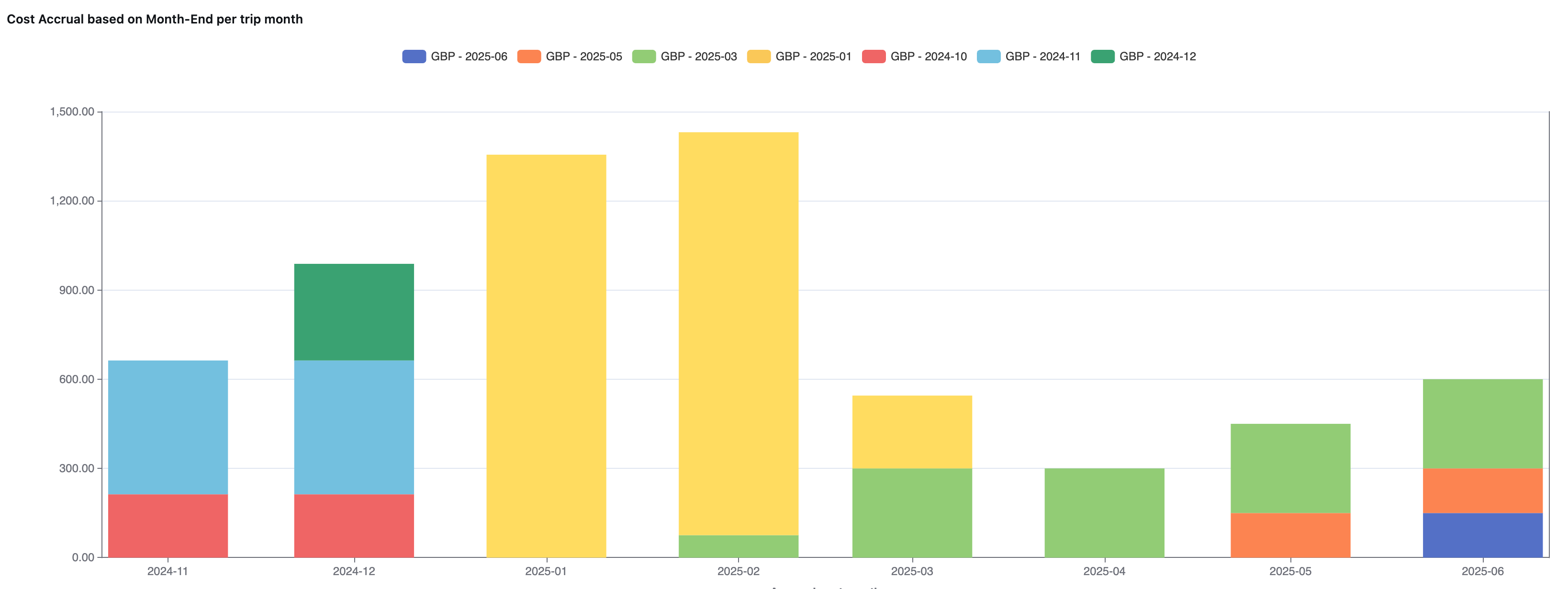
Stacked bar charts for accrued revenue and costs, per order, based on month-end
Tables:
-
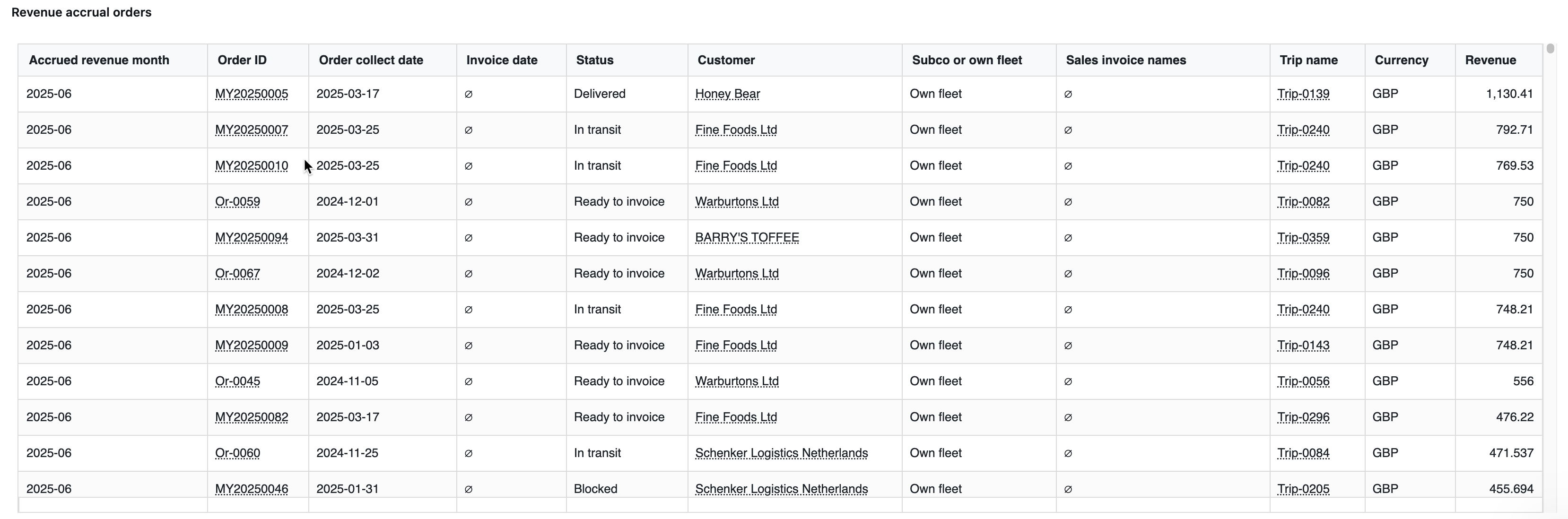
For revenue accrual: charge-level detail with order, status, operations dates, charge amount, and whether the charge is linked to an invoice.
-
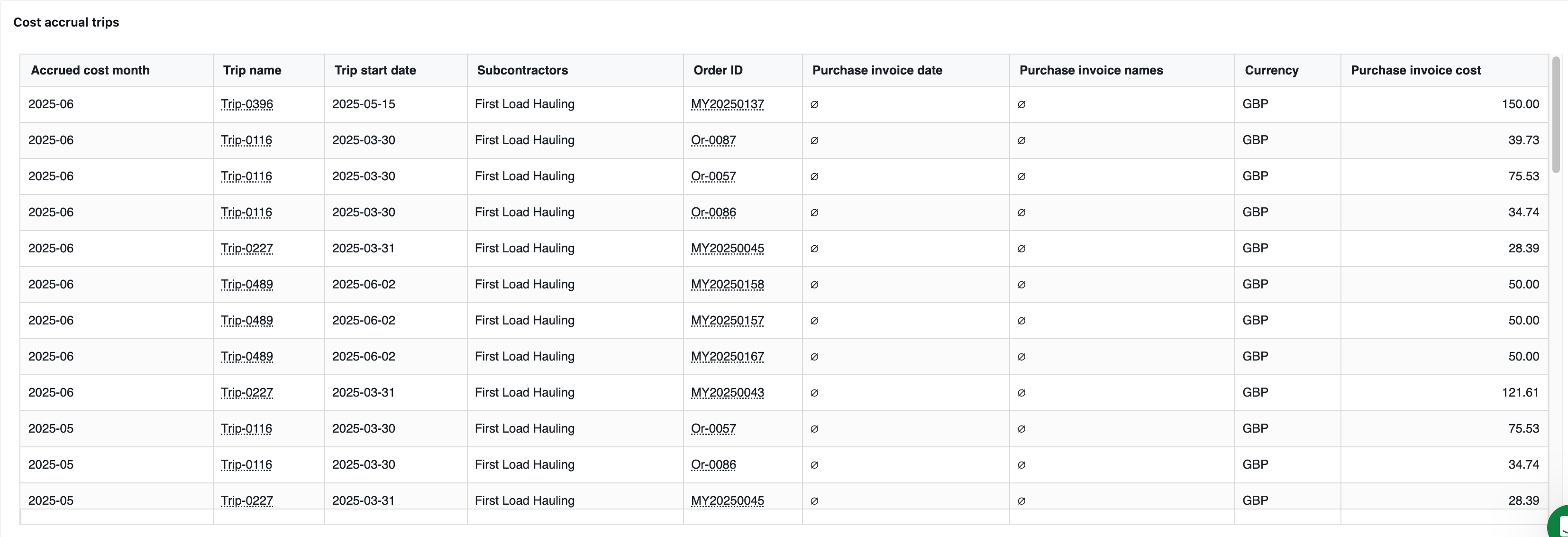
For cost accrual: a similar table for carrier invoices.
Filtering:
-
Filter by pickup or delivery date, company fleet vs. contract carrier services, customer, or other business dimensions.
-
Filtering updates both graphs and tables
How the accrual calculations work
- All amounts are shown in the system base currency for consistency with accounting.
- Clicking on entries allows drill-through to the order, invoice, or purchase record level.
- Conditional formatting/highlighting helps spot aged or high-value accruals.
- Exclusions: “Don’t invoice” or non-billable lines never appear in accrued revenue.
Revenue accrual
Accrued revenue
- Calculated at the level of each individual charge (“charge line”), not just at the order level. For orders with only some charges invoiced, only the uninvoiced, completed charges count as accrued revenue. This increases accuracy for complex scenarios.
Calculation logic
A charge counts as accrued revenue if:
- The pickup or delivery of goods has occurred before (or on) the selected accrual date
- The charge is not yet included in a (finalized) sales invoice
- The work is marked as completed (“picked up” or “delivered” status)
Fleet/contract carrier split:
-
The system calculates which proportion was carried out by the company fleet vs. a contract carrier.
- Revenue for each is broken down by multiplying the total line value by the % attributed to the company fleet/charter.
Cost accrual
Accrued cost
- Calculated as the sum of all carrier invoice lines for goods/services received (work completed) but not yet invoiced by the supplier.
- Each carrier invoice line is checked for operations date and booking status.
- Only items where the work/load has been carried out but no supplier invoice has been booked count as accrued cost.
Summary:
True accrual vs. booked:
The dashboard is designed to make it easy to reconcile numbers with the accounting system and to make sure all revenue/costs that should be accrued appear. No more missed or double-counted entries.
Exportable data:
Tables and underlying data can be exported (e.g., to CSV) to support manual adjustments, reconciliations, or uploads into accounting/ERP systems.
Performance:
The dashboard now supports higher row limits to handle large transaction volumes.