
Feature releases March 2024
Table of contents
Sticky news feed entries
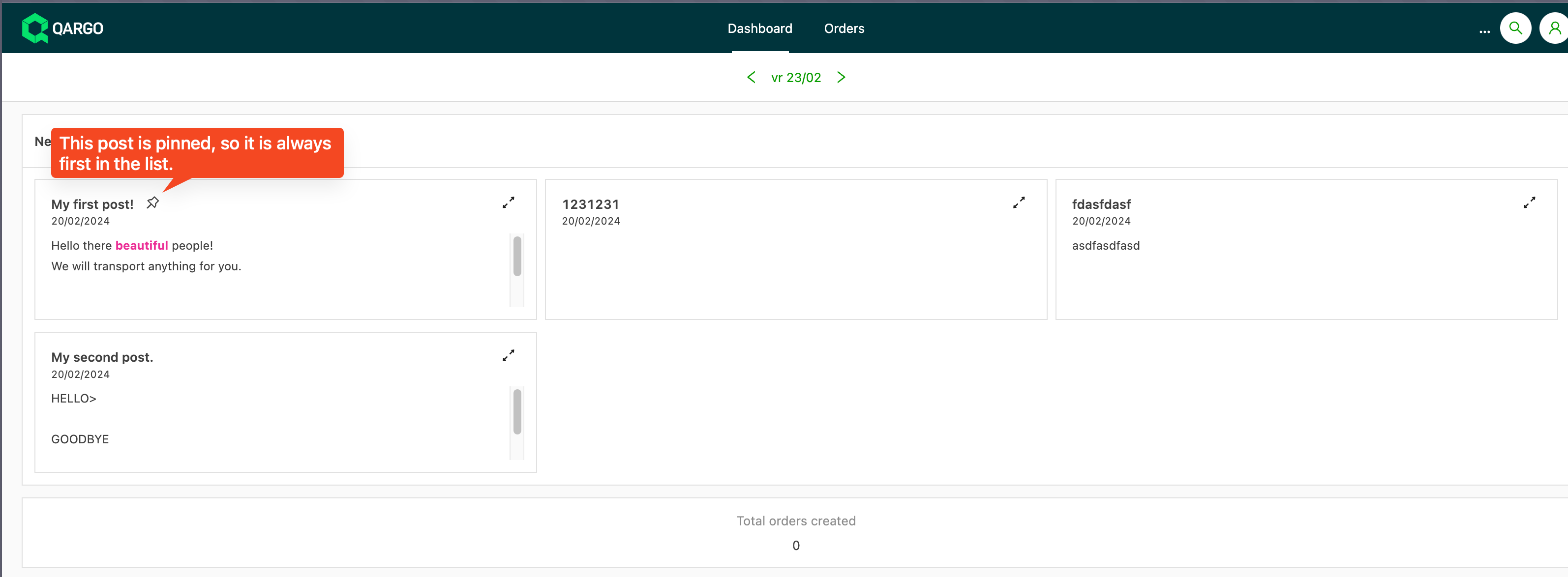
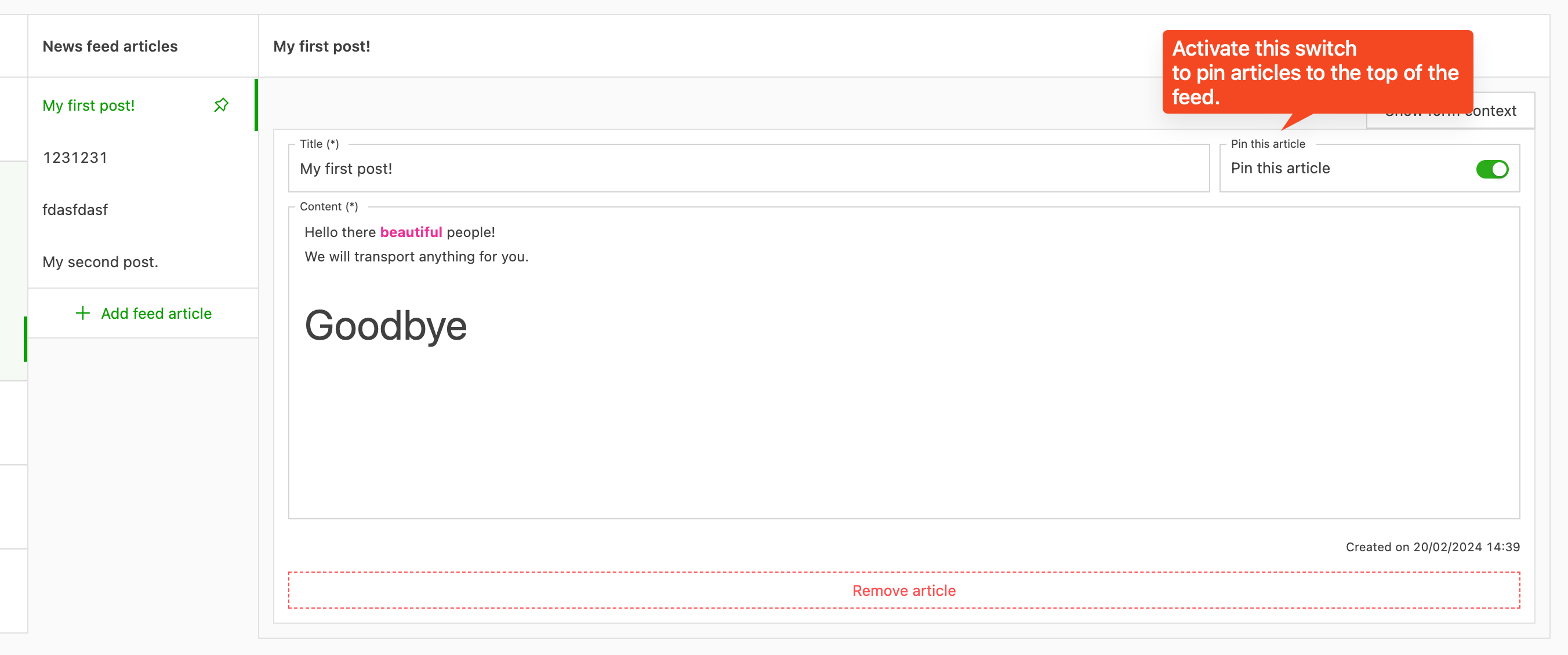
Customer portal news articles can now be pinned to the top of the news feed. This makes important articles easy for customers to see.
A maximum of three articles can be pinned at a time.
The three pinned articles are still ordered in reverse chronological order.
Create an invoice from a self-bill spreadsheet
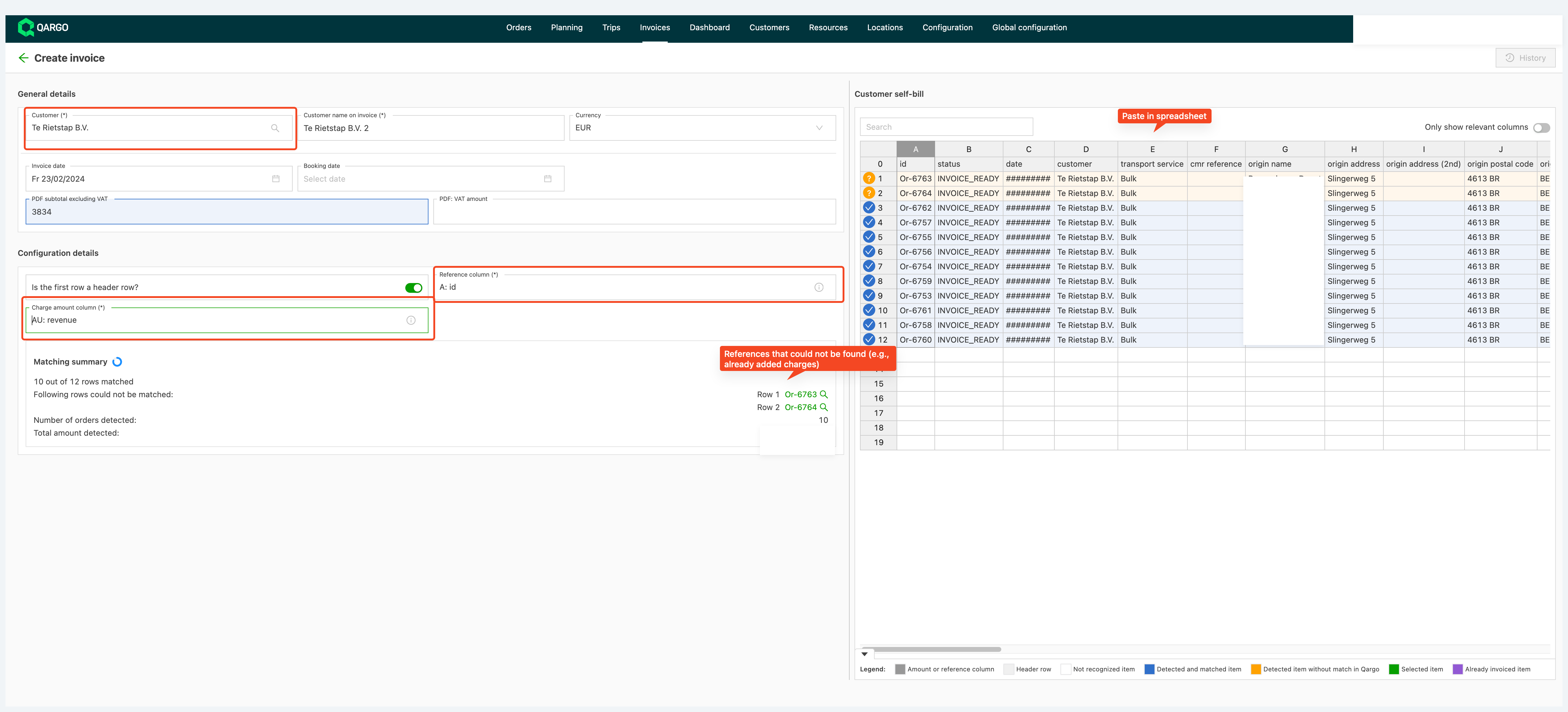
Introducing a new feature in the invoice scanning module 🪄 that streamlines the process for companies transporting goods.
Users can now copy and paste customer-provided spreadsheets into a new invoice creation mode, which reduces manual work. The system matches spreadsheet lines to Qargo orders and charges based on specified columns. Users can then optimize matches before saving as a draft invoice. In the next phase, a split view shows Qargo’s suggested charges next to the original spreadsheet, which makes it easy to add charges to the invoice.
Show time windows on the planning board
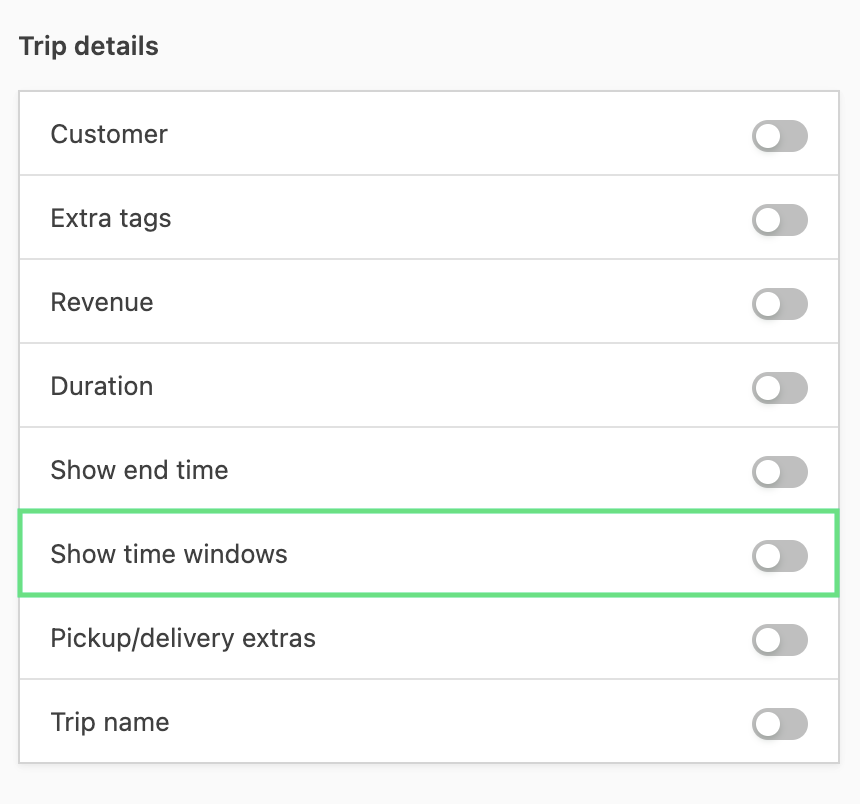
Time windows can now be displayed on the planning board.
They give more context during planning on what was promised to customers and whether everything is running as expected!
Questions about this feature are always welcome!
Filter by pallet status
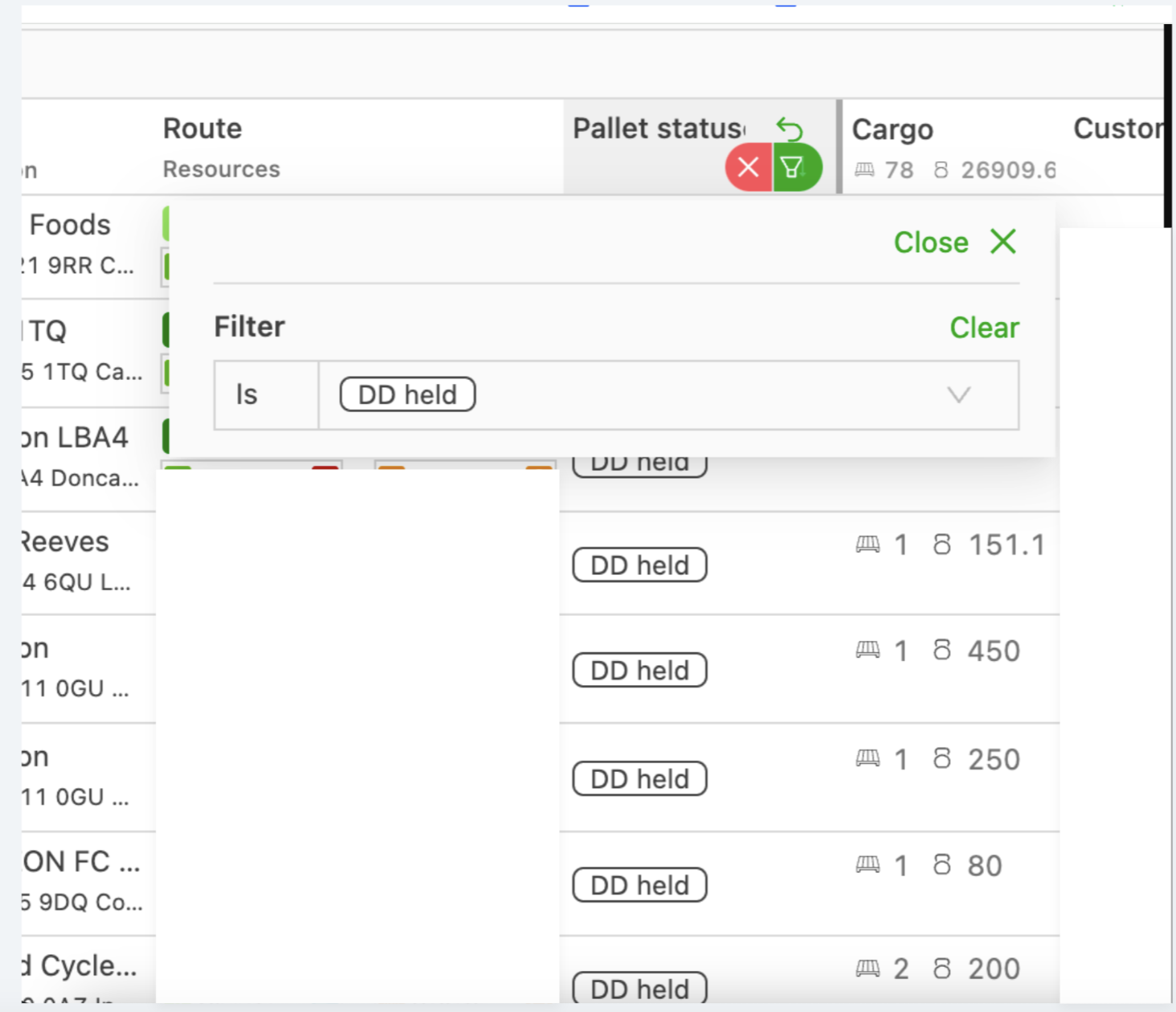
The order/load to plan list can now be filtered by pallet status.
This is useful, for example, to get an overview of all pallets still stored at the terminal.
Last location filter on the planning board
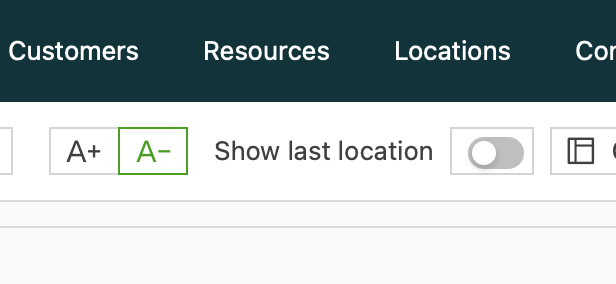
A change to the planning board filters has been rolled out.
A new last location filter makes it quick to search for resources left at a specific spot.
The resource group filter and the new location filter are now also shown as column filters.
Questions or remarks are always welcome!
Tax number check on customer/contract carrier
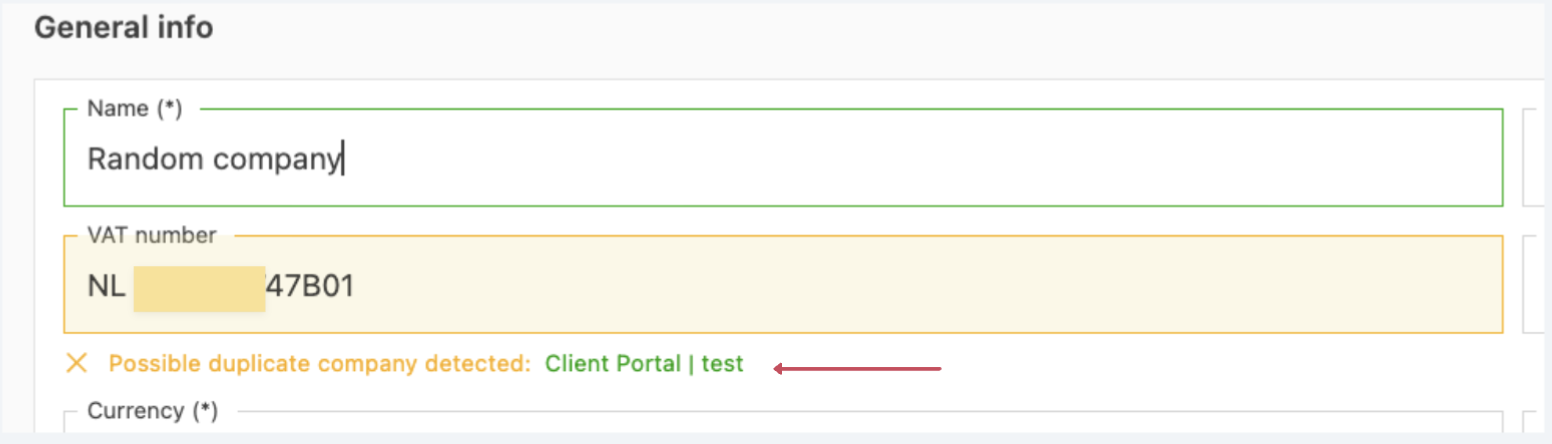
A new feature automatically detects duplicate tax numbers during customer or contract carrier creation, and alerts users to potential duplicates in real time.
If the system finds a tax number that is already registered, a warning shows the name of the company that the tax number is registered to. Clicking the name opens that customer directly.
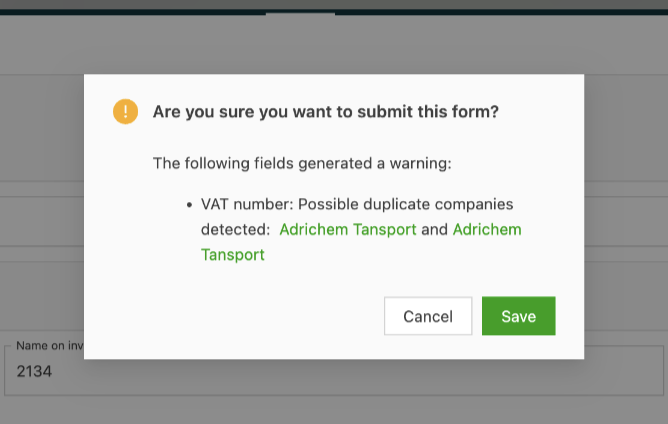
A warning message also appears when trying to save a duplicate tax number, as shown below:
\
Don’t replan (Incidents) {#h_465962cc32}
Most loads go as smoothly as butter, but sometimes life throws a curveball. Imagine this: a delivery or pickup is all set, but something goes wrong. No worries! Incidents in Qargo help navigate these bumps. But what if the goods are damaged and no replanning is needed?
Enter the new Don’t replan feature!
When adding an incident for a failed pickup or delivery, the Don’t replan option can now be selected, and voila! Once saved, the incident is displayed on the order and the load.
Unavailable for multiple days
Got a driver with a long list of days off? The latest update has it covered.
To mark a driver as unavailable on the planning board, click the calendar icon. A new option appears: Select multiple days. Multiple days can be selected here in one go. No more endless clicking – just pick them all at once!
For fans of the classic approach, the Select start and end date option is still available. It allows selecting a start date and, optionally, an end date. More information about unavailability in Qargo is available here.