
Planning: anchor stop route calculations
Use anchor points to set fixed arrival times and let Qargo automatically position earlier stops based on travel times. Using stops as anchor points allows backward route calculations, with the anchor stop as a fixed reference for planning.
Table of contents
Summary
What: This feature introduces anchors. Anchors are fixed arrival times on a load that the system uses to calculate backward. When a stop is marked as an anchor, Qargo automatically repositions all preceding stops based on driving durations. This ensures the load arrives at the anchored stop on time.
Why: Planners often work with fixed delivery or unloading times that cannot be moved. Previously, planners had to look up driving times manually and adjust load start times. This feature eliminates that manual work by automating backward route calculation.
How: Set an anchor from either the planning board right-click menu or the edit stop times modal. Qargo then recalculates the entire route backward from that anchor point and adjusts all preceding stops accordingly.
Use cases
- Fixed delivery window planning: A delivery must arrive at a customer location by 2:00 PM. Set that stop as the anchor, and Qargo calculates backward to determine when the load must leave the terminal.
- Time-critical unloading: A shipment must be unloaded at a specific time. Instead of calculating driving times manually, set the unloading stop as the anchor and let the system handle the sequencing.
- Multiple-stop loads with fixed endpoints: When a load has a fixed final arrival time (e.g., a cross-dock cutoff), set that stop as the anchor to ensure all earlier stops are timed correctly.
Terminology
| Term | Definition |
|---|---|
| Anchor | A stop on the planning board with a fixed arrival time from which the system calculates backward |
| Forward calculation | The standard route calculation method: from the first stop to the last |
| Backward calculation | Route calculation from a fixed arrival time backward to earlier stops |
Setting an anchor on the planning board
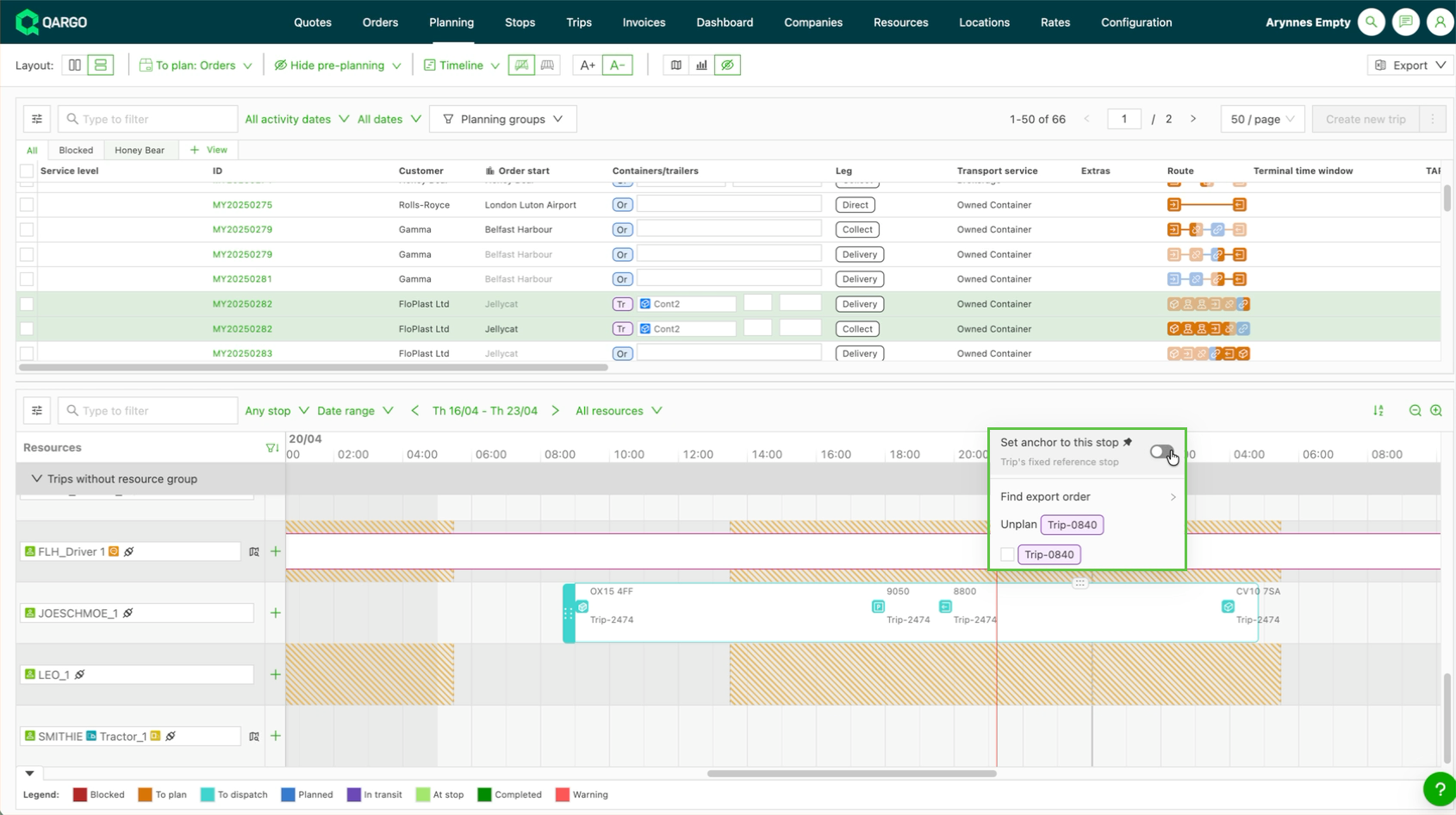
- Right-click any stop on the planning board and set the toggle to anchor the stop quickly.
- Once the arrival time is set, Qargo immediately recalculates all preceding stops based on the driving durations between them. It positions them so the load arrives at the anchored stop on time.
Using the edit stop times modal
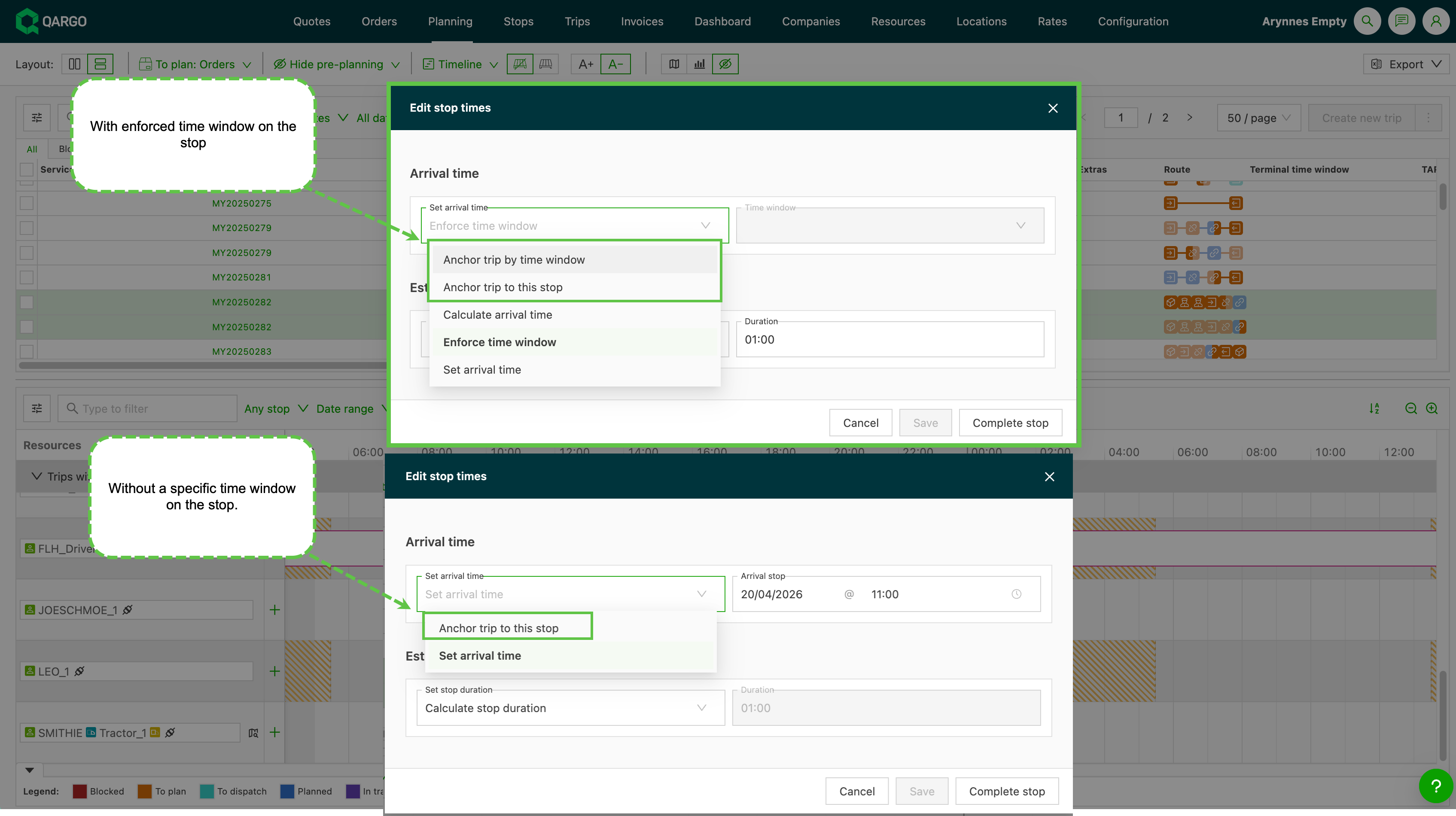
Open the load and select Edit stop times. The modal offers two anchor options:
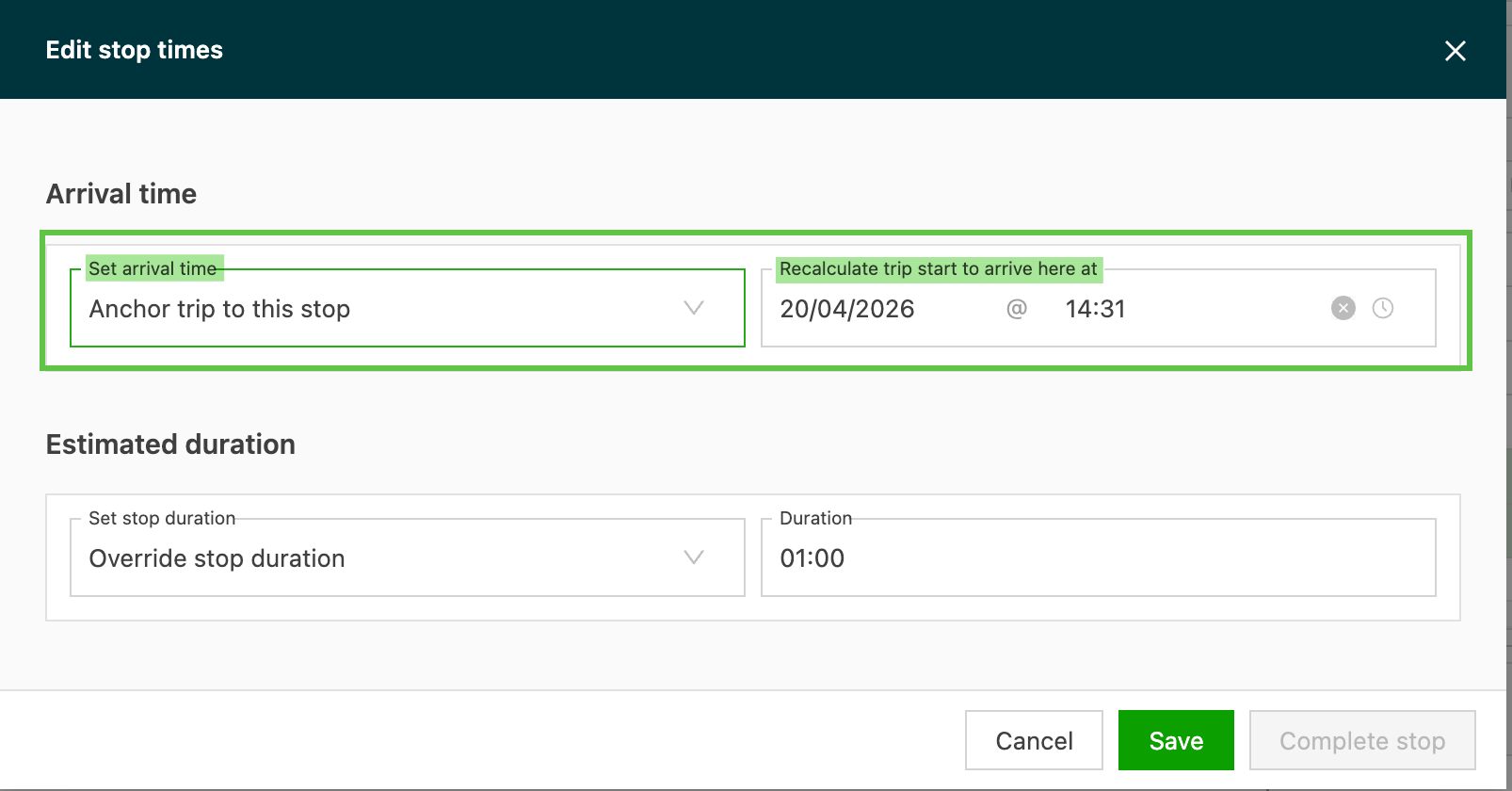
- Anchor load to this stop: Set a specific stop as the anchor with a manual arrival time. Qargo calculates backward from this fixed time.
- Anchor load by time window: Use the stop’s delivery time window (e.g., 1:00–3:00 PM) as the anchor. The system uses the latest time in the window as the arrival target.
How the system recalculates
When an anchor is set, Qargo:
- Locks the anchored stop’s arrival time
- Uses the driving duration between stops to calculate backward
- Repositions all preceding stops based on those durations
- Maintains the overall route sequence without reordering stops
The system does not resequence or reorder stops. It only adjusts their timings based on the backward calculation.
Viewing and modifying the anchor
The anchored stop is visually marked on the planning board. To modify or remove the anchor:
- Adjust the anchor time: Right-click the anchored stop and select Set arrival time again to enter a new time
- Clear the anchor: Right-click the anchored stop and select the option to remove the anchor.
Limitations
- Anchors only affect preceding stops, not stops after the anchor point
- If a stop has no valid driving duration to its predecessor, the system cannot recalculate and shows an error
- Backward calculation respects working hours settings if they are configured for the resource
Troubleshooting
| Problem | Solution |
|---|---|
| Anchor time doesn’t change the route | Confirm there are preceding stops with valid driving durations. If the anchor is the first stop, there is nothing to calculate backward from. |
| Error when setting anchor | Ensure all stops between the anchor and its predecessor have valid driving durations configured in the system. |
| Expected times did not update | Refresh the page, or close and reopen the load detail to see the updated calculations. |