
Invoice – payment terms: automatic update when changing customer
Auto-update invoice payment terms when switching the billing customer, match the new customer's settings while preserving any manual overrides made.
Table of contents
Introduction
-
What is this feature?
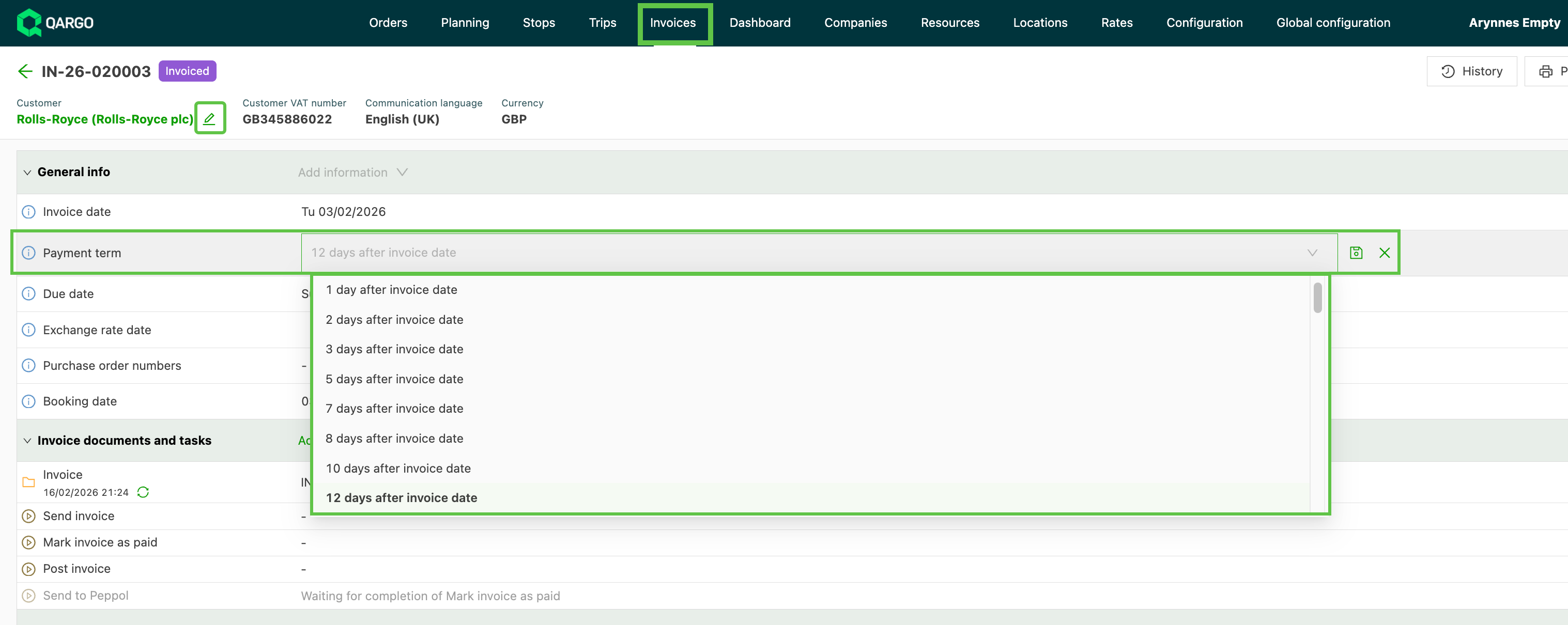
- When the customer on an invoice changes, the payment term automatically updates to match the new customer’s configured payment term.
-
Why does this matter?
- This update ensures the payment term always reflects the correct customer settings.
-
How does it work?
- The update happens automatically in the background. There are no new buttons or screens; changing the customer on an invoice is enough for the payment term to adjust itself.
Terminology
| Term | Definition |
|---|---|
| Payment term | The number of days (or specific schedule) a customer has to pay an invoice after it is issued.\ |
| Example: 30 days after invoice date or End of month + 15 days. | |
| Default payment term | The fallback payment term configured at the tenant level, used when a customer has no specific payment term assigned. |
How it works
Edit an invoice and change the customer:
- Navigate to the invoice to edit.
- Click the customer field to change the customer on the invoice.
- Select the new customer
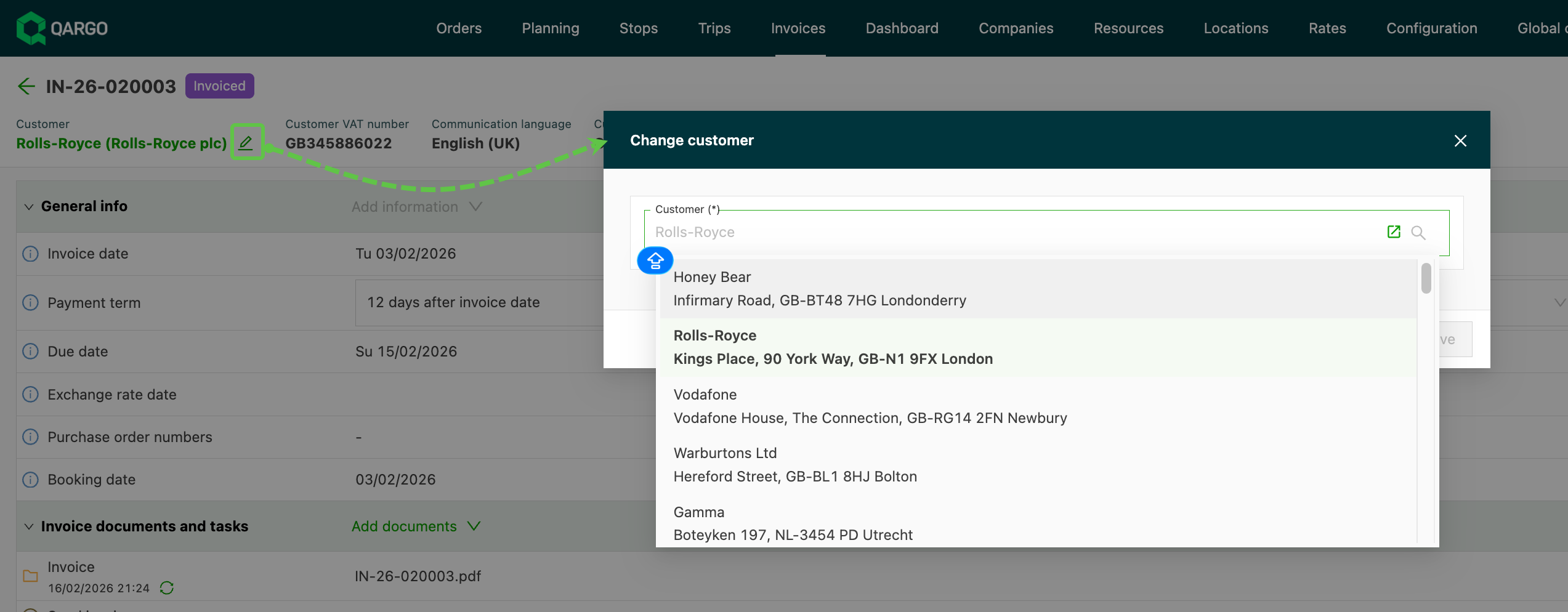
Once the new customer is selected, the payment term on the invoice updates according to these rules:
- If the new customer has a payment term configured, that payment term is applied to the invoice.
- If the new customer does not have a payment term configured, the default payment term (set at the tenant level) is applied.
Examples
Example 1: Switching between customers with different payment terms
An invoice is created for Customer A, who has a payment term of 60 days after invoice date. The invoice payment term is set to 60 days. The customer is then changed to Customer B, who has a payment term of 30 days after invoice date. The invoice payment term automatically updates to 30 days.
Example 2: New customer has no payment term configured
The customer on an invoice is changed to a customer that does not have a specific payment term set. Qargo applies the default payment term configured at the tenant level (for example, 30 days after invoice date).
Troubleshooting
| Issue | Solution |
|---|---|
| Payment term did not update after changing customer | Check whether the payment term was previously set manually on this invoice. Manual overrides are preserved and will not be replaced automatically. |
| Payment term shows an unexpected value | Verify the payment term configured on the new customer’s profile. If none is set, the tenant-level default is applied. |
| Resetting to the customer’s payment term after a manual override | Clear the payment term field and re-select the customer, or manually set it to match the customer’s configured payment term. |