
Intermodal – Customs UK HMRC integration
Introduction
In transport and logistics, speed, accuracy, and traceability are non-negotiable. The Qargo integration delivers an end-to-end, connected flow that links core systems, such as booking and status tracking, into a single, auditable workspace. With the integration, data is automatically shared between systems, so there is no need to re-enter information or chase updates. The result is improved compliance, faster operations, and clearer visibility for operations teams, dispatch, and freight partners.
Key benefits
- Faster, more accurate shipment updates
- Reduced manual data entry and fewer mistakes
- End-to-end visibility across the supply chain
- Flexible, scalable integration that adapts to changing routes, carriers, and systems
Terminology
| Term | Definition |
|---|---|
| MRN declaration | A Movement Reference Number (MRN) declaration is a unique 18-character identifier that customs assigns to a specific shipment when an import, export, or transit declaration is submitted. |
| GMR declaration | A Goods Movement Reference (GMR) is a unique, mandatory digital code used when transporting goods between the UK and the EU, as well as between GB and Northern Ireland. |
| Connector | The component that enables communication between systems, handling authentication, data mapping, and transport |
| Data mapping | Aligning fields from one system with matching fields in another to ensure correct data transfer. |
| Authentication | Verifying identity to access resources (e.g., API keys, OAuth tokens). |
| Authorization | Granting permissions to perform actions or access data after authentication. |
| Logging & audit trail | Recorded events that provide visibility into the integration’s activity for troubleshooting and compliance. |
Prerequisites (Qargo Admin only)
-
Activate the Customs Pre Notification feature flag
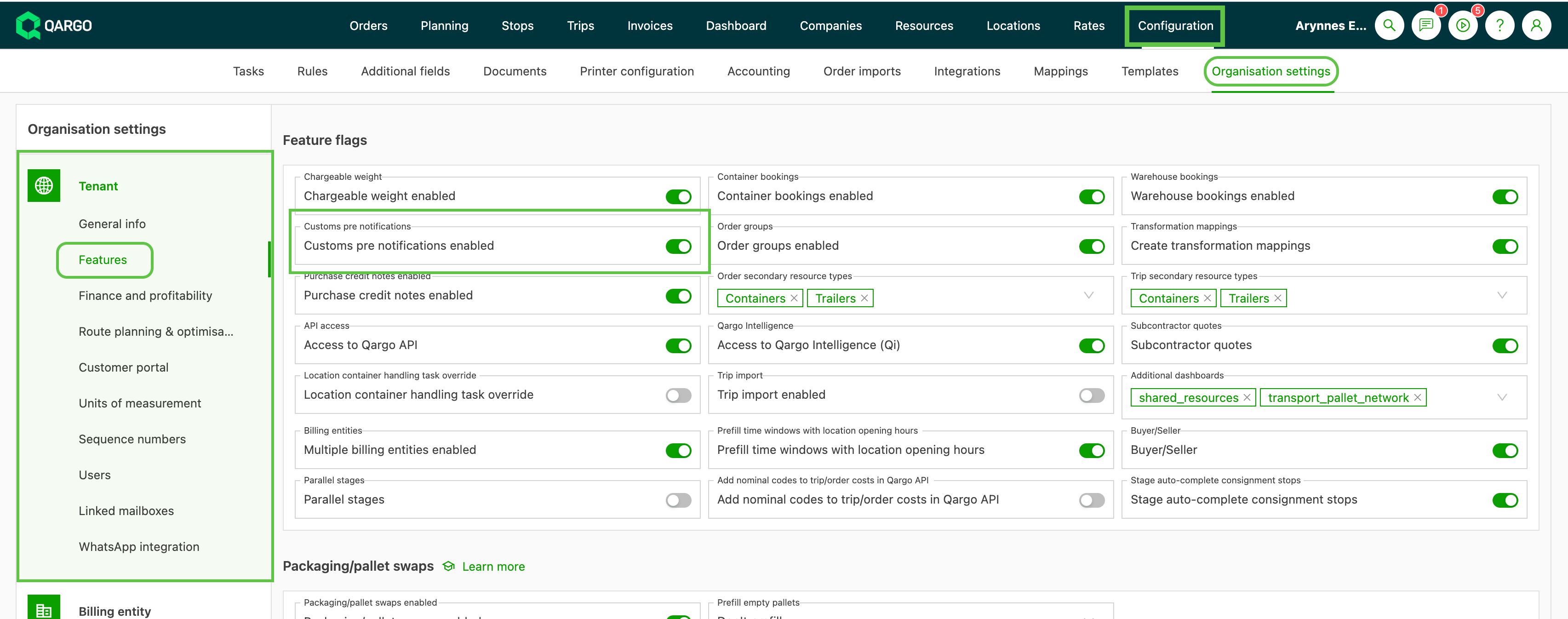
-
Global locations will include the Port ID in the profile

-
Tenant locations must be linked to the ‘Global location’ via the ‘Qargo container terminal or intermodal location’ field
-
Create & activate a new ‘UK HMRC’ integration (Qargo Admin only)
-
The integration with UK HMRC must be authorized.
-
Use the ‘Copy authentication URL’ link
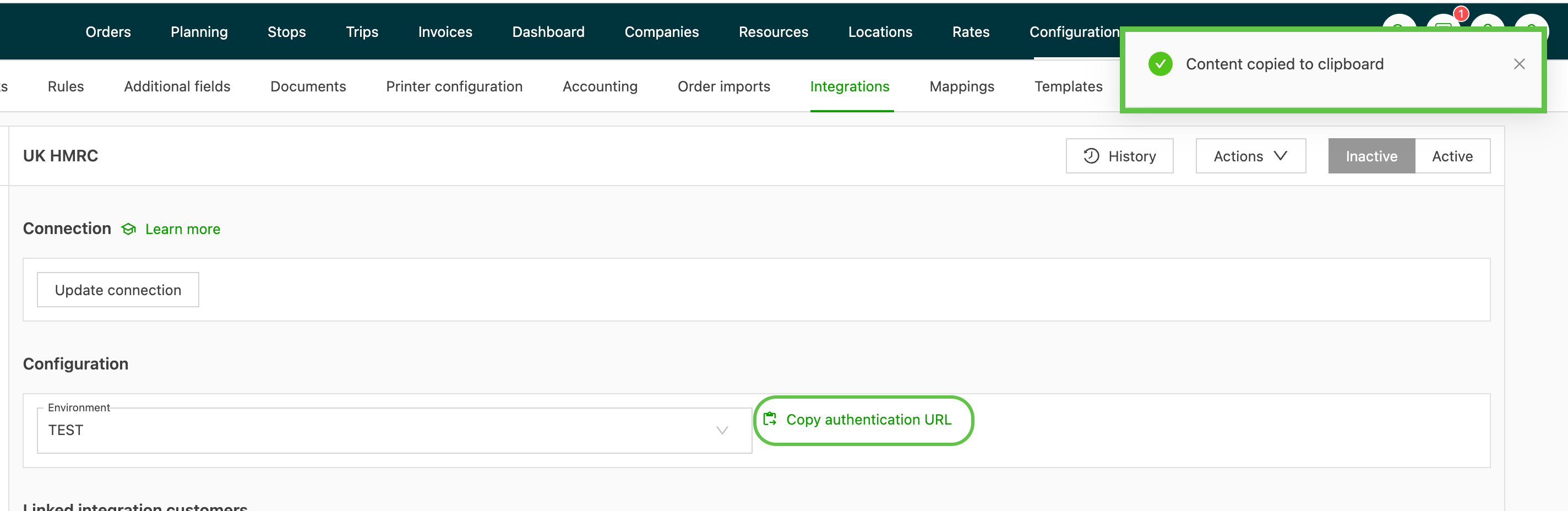
-
Paste the copied link into a browser and click ‘Authorise API’
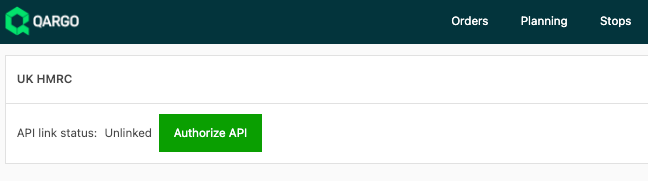
Once the integration is authenticated, it is ready for use.
Create workflow task (Super Admin / Admin user)
-
Create a standard Customs Task to send data and return status updates.
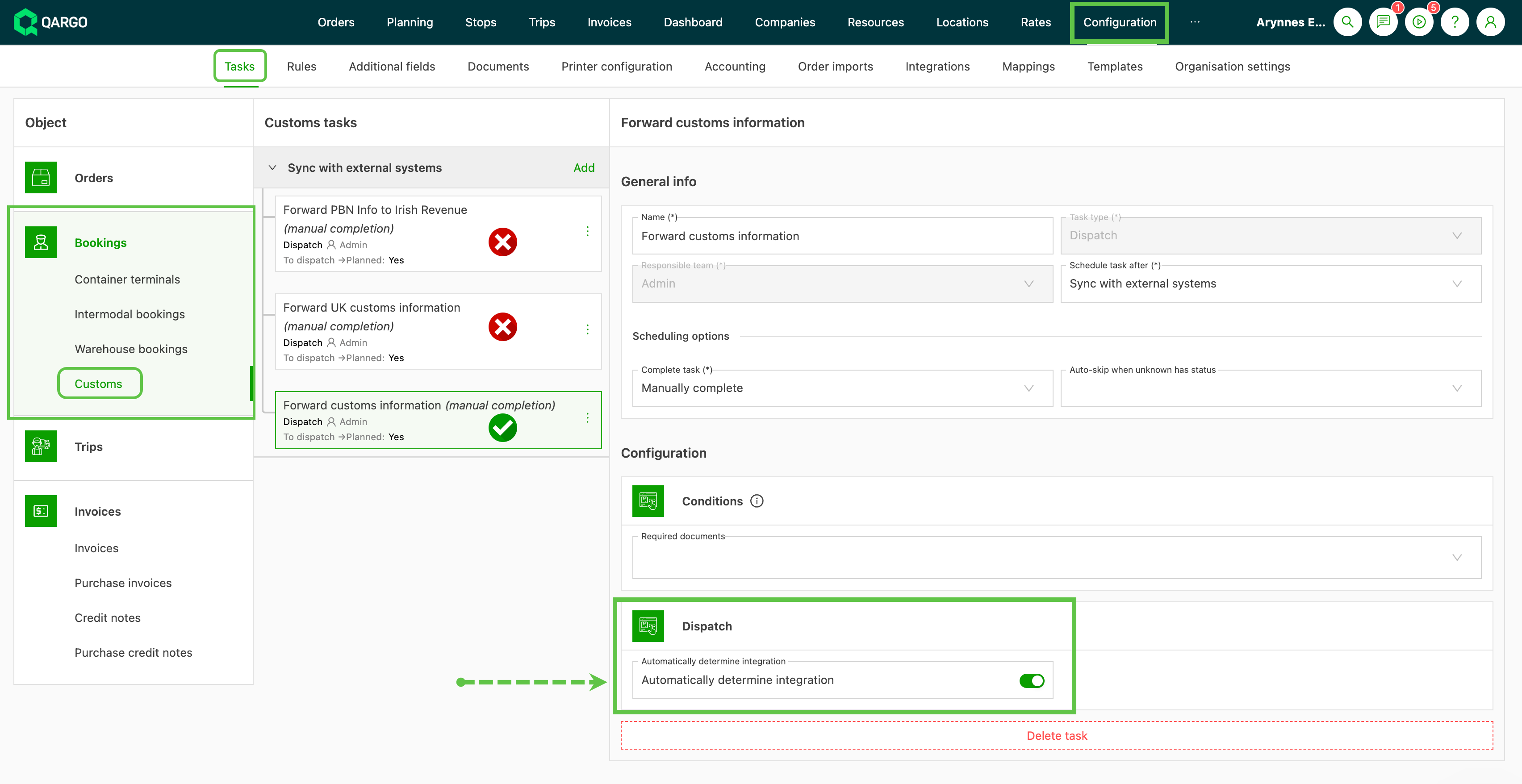
Practical workflow (step-by-step)
The steps below walk through how to use the forwarding process
-
Add the intermodal booking to a load that includes locations linked to UK HMRC locations
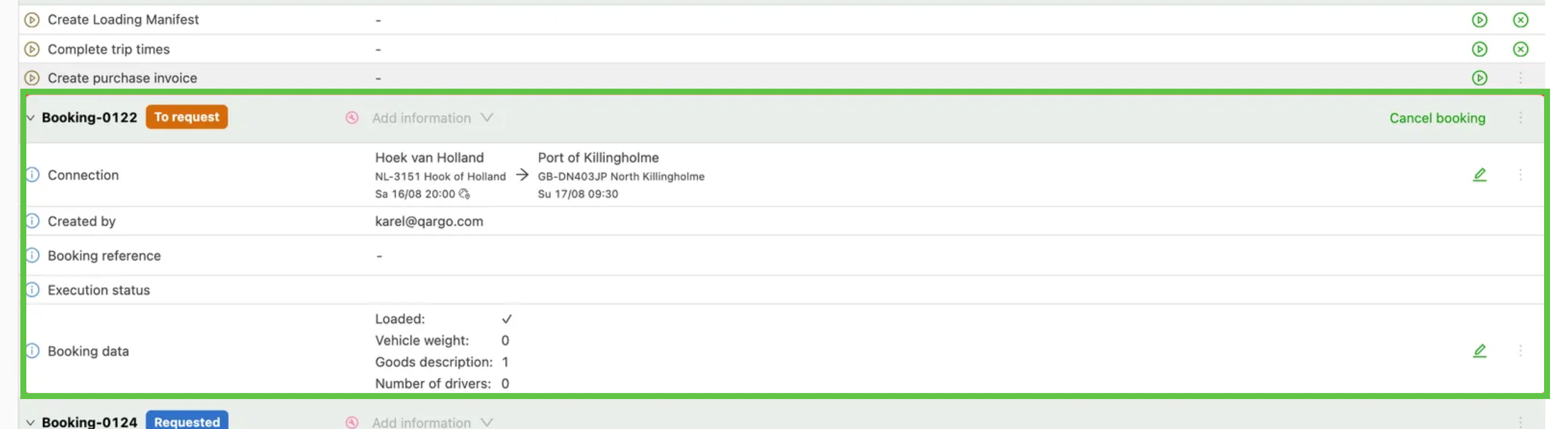
Create a load with a location that:
- has a border crossing
- is linked to HMRC
-
The import/export customs field should appear
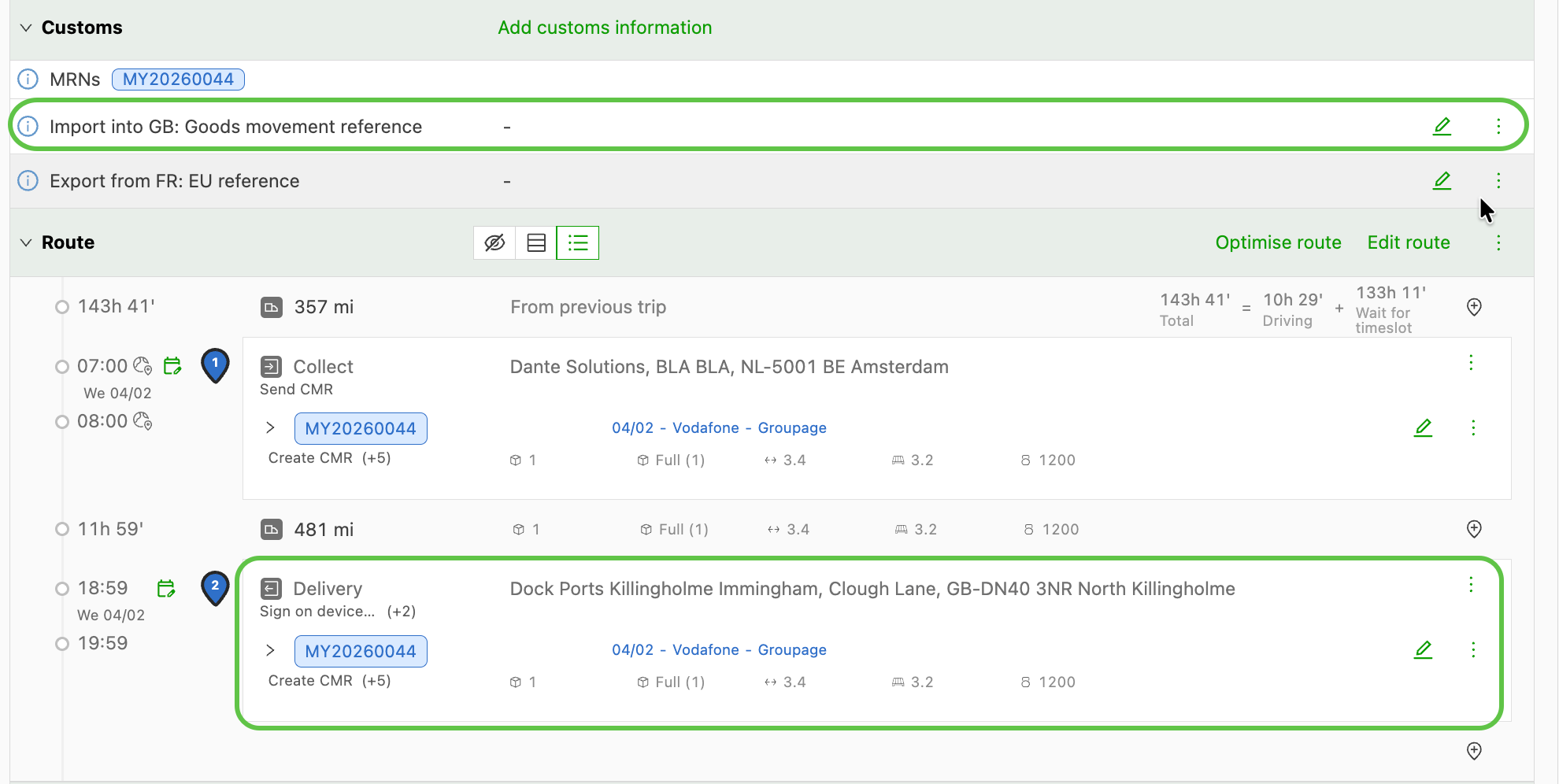
-
Once the Customs panel is available, users can manually add customs information
-
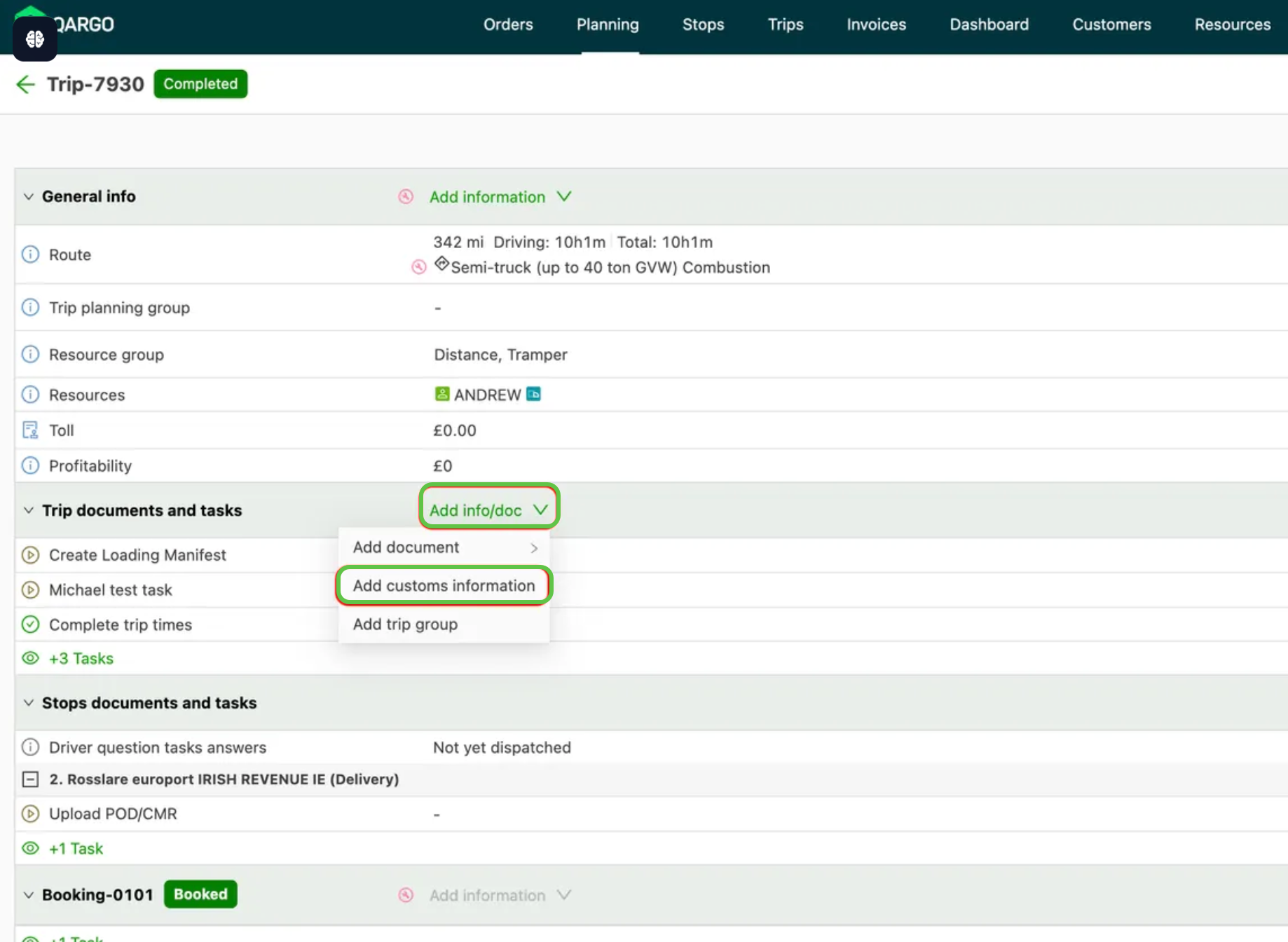
Use Add info/doc > Add customs information to manually add details
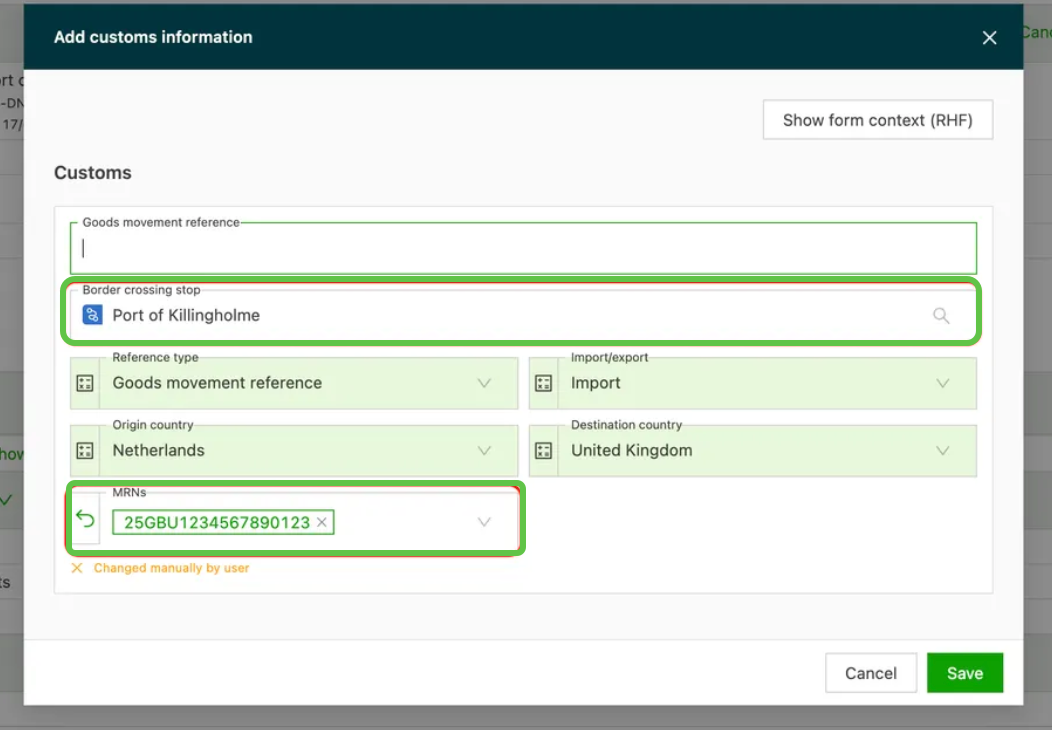
-
-
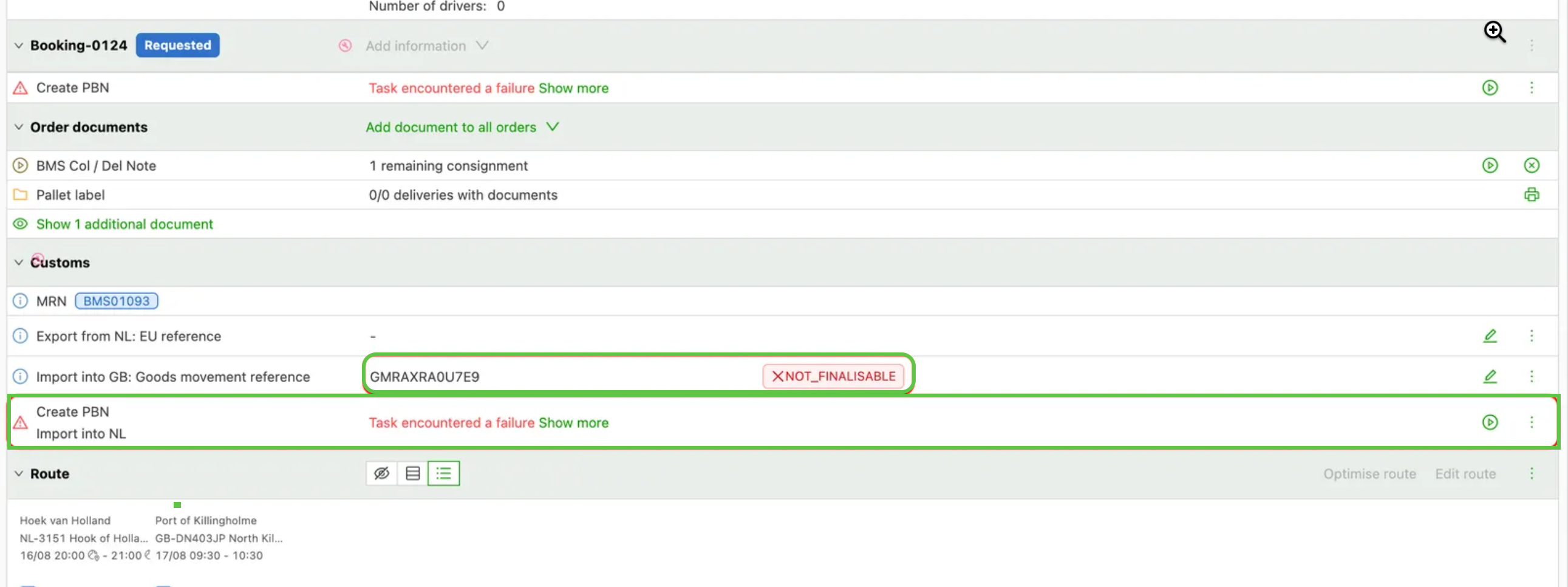
With the import location selected and the GMR/MRN numbers entered, the task should appear.
- Once triggered, it will automatically forward to HMRC
Supported status updates
| UK HMRC status | Description |
|---|---|
| CHECKED_IN | The GMR has been provided to the carrier |
| OPEN | This is the initial status when a GMR is created but not yet finalized or submitted. |
| EMBARKED | This status shows that the vehicle has boarded the transport |
| PROCEED | This status grants permission for the vehicle to proceed through the border after checks. It is often a post-arrival status, indicating that no holds or further inspections are needed. |
| COMPLETED | This status means the GMR’s lifecycle is fully resolved.\ |
| \ | |
| Inbound: The goods have arrived in GB, disembarked, and passed any inbound customs controls (e.g., import declarations matched and cleared).\ | |
| The GMR is closed, and no further action is needed unless audits occur later.\ | |
| \ | |
| Outbound: The goods have departed GB and arrived at the EU/NI destination, with export/transit declarations finalized (e.g., via EU systems such as NCTS for transits).\ | |
| The GMR is archived, confirming successful export. | |
| NOT_FINALISABLE | This is an error or warning status indicating that the GMR cannot be finalized (i.e., marked ready for border crossing) due to issues such as incomplete/invalid declarations, mismatches, or system errors.\ |
| Prevents progression until resolved. | |
| INSPECTION | Inspection required at customs.\ |
| Will contain additional information on where the driver needs to be for inspection. |