
FAQ: Filtering for tomorrow/yesterday
This article explains how to use the enhanced date filters to display items scheduled for tomorrow or yesterday in any list view.
Table of contents
Q: How to create a list view that strictly shows orders or activities scheduled only for tomorrow (excluding today)?
A: Precise views for ‘tomorrow’ or ‘yesterday’ can now be created with the enhanced relative date filters. These filters are available in all columns with a date filter.
Previously, filters like “days after 1” still included today’s items. Now, the target day can be specified directly:
- For tomorrow: Use the date filter and specify a range such as ‘days after 1’ to start the filter. Then select a range of ‘days 1’ to strictly limit the view to the following day.
- For yesterday: Similarly, set the filter to show only items from ‘yesterday’ for quick daily reviews.
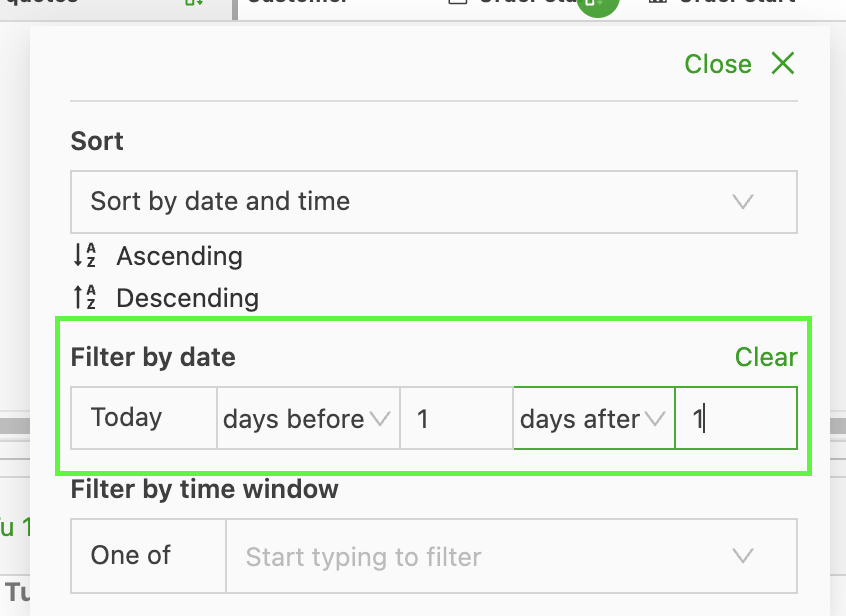
This enhancement keeps planning views highly accurate and focused on the tasks immediately ahead or just completed.