
FAQ: What is billing entity support in the Accounting API, and how does it affect external integrations?
The Accounting API now supports multiple billing entities. External integrators can only post invoices for the specific billing entity linked to their credentials, for better security and access control.
Table of contents
The new support for multiple billing entities in the Accounting API improves security and access control for organizations that manage invoices across different internal entities.
What does this feature include?
- Invoice endpoints update: The external API billing endpoints now include a new
billing_entitysection. This section provides more information about the specific entity linked to an invoice.
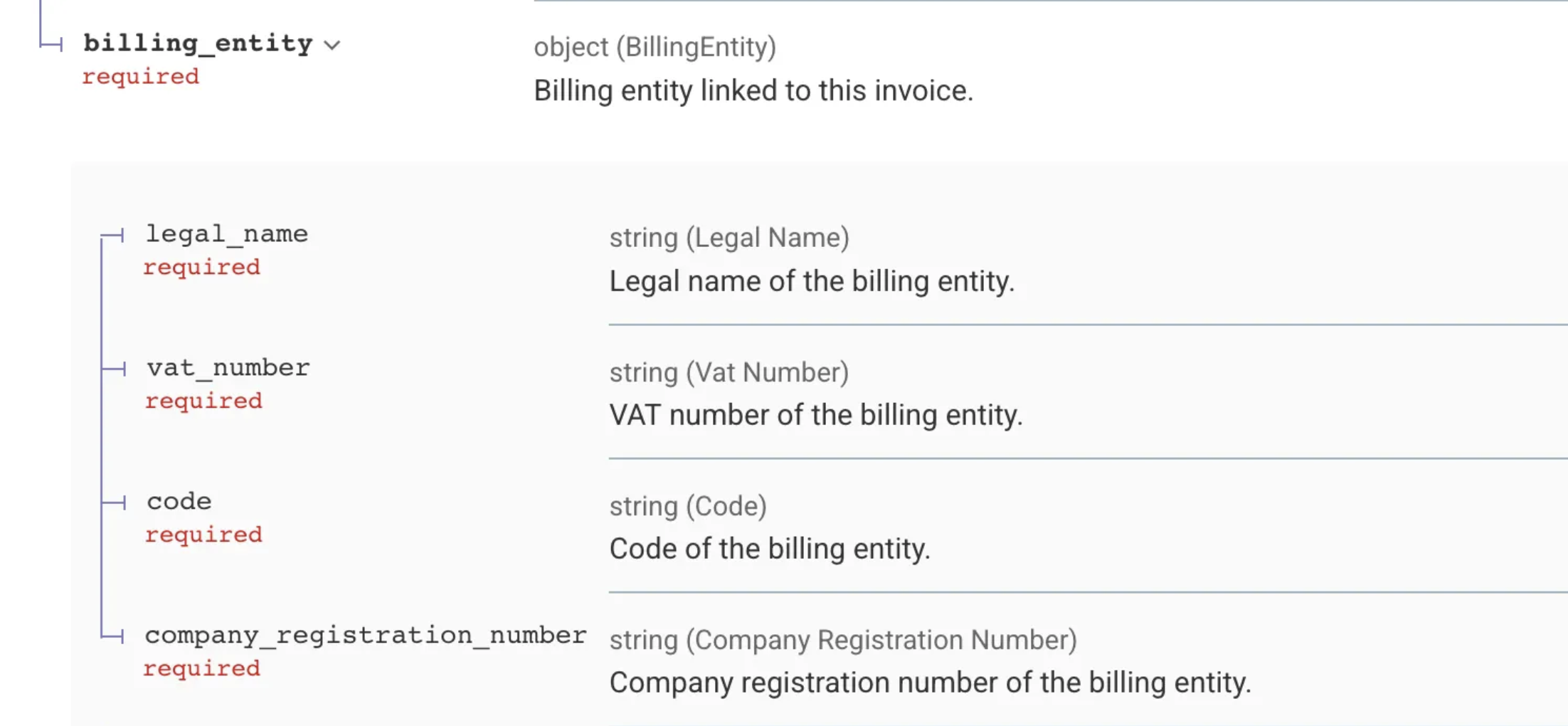
- Multiple integrations: It is now possible to create multiple Accounting API integrations, each explicitly linked to a specific billing entity.
- Filtering: Invoices and tasks can be filtered by their connected billing entity.
- Dedicated API clients: Accounting API clients can be created on the Accounting API integration settings page. These clients are essential for full functionality.
How does this affect an external integration’s ability to manage invoices?
The main impact is on access control for posting (completing/posting) invoices:
-
Restricted posting: An external integrator can now only complete/post invoices that are connected to the specific billing entity linked to the credentials in use.
-
Viewing invoices: Users can still see invoices that are not related to their billing entity (subject to existing viewing permissions), but are prevented from posting them.
-
Credential configuration is key:
- To post invoices (set the status to completed), integrators must configure their API credentials on the Accounting API integration settings page and link them to the correct billing entity.
- Credentials created on the general Organization settings page are not allowed to set the status of an invoice to completed or to list invoices that are still waiting to be synchronized.