
Orders: contract carrier bidding feature
A step-by-step guide to using Qargo's contract carrier bidding feature
Table of contents
Click the video below for a full walkthrough on how to set up this functionality

This guide introduces the Contract carrier bidding feature in Qargo. The feature centralizes the entire bidding process. It logs multiple contract carrier offers and counteroffers against individual order legs, which simplifies managing and tracking bids.
The workflow is streamlined: when a single quote is approved, a load is created and the resource is assigned automatically. All other competing bids for the affected transportation segment are rejected immediately.
📖 Key terminology
- Contract carrier bidding: A feature in Qargo that allows users to manage transportation quotes from contract carriers.
- Order view: The interface in Qargo where users can view and manage their orders.
- Contract carrier quotes: The quotes provided by contract carriers for a specific transportation service.
- Approval flow: A process in Qargo that requires specific sign-off before a task is fully confirmed.
🚛 Workflow steps
1. Navigate to the Order view.
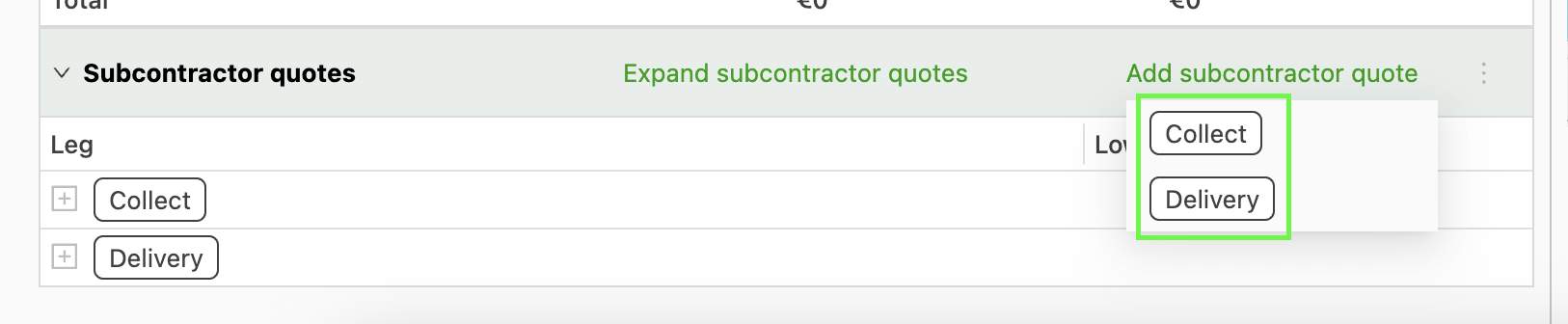
2. Scroll down to the Contract carrier quotes section and click Add contract carrier quote.

3. Specify the leg of the order and select the contract carrier.
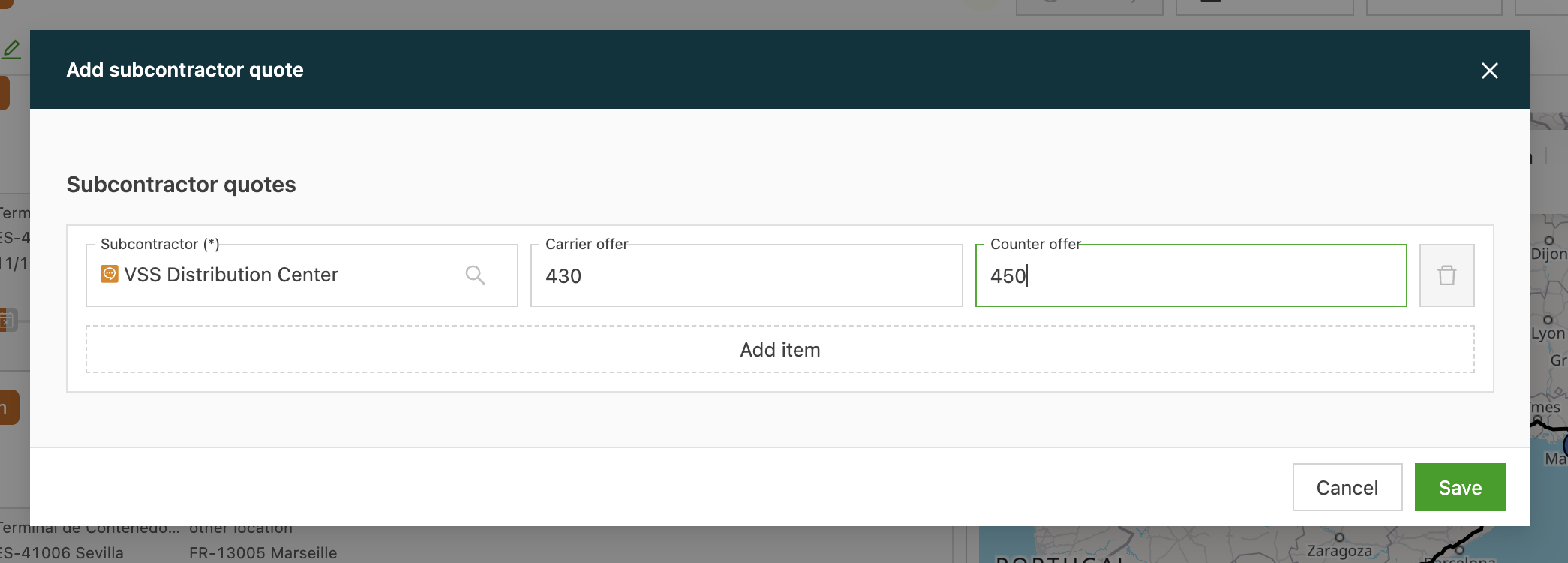
4. Log both the contract carrier’s offer and the counteroffer.
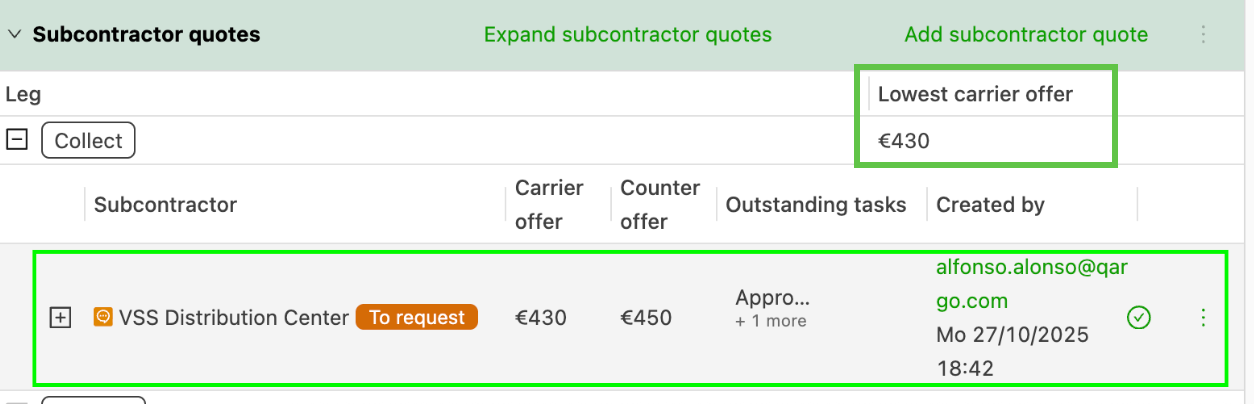
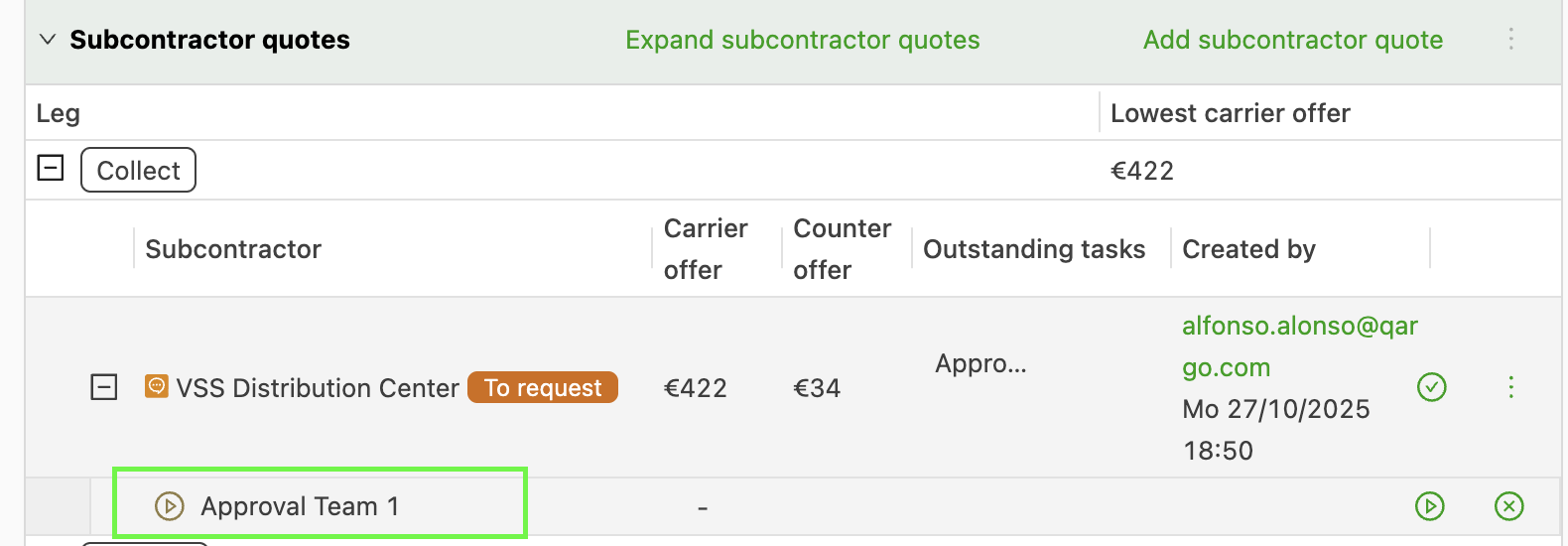
5. After the quote is added, it is listed with the status To request.
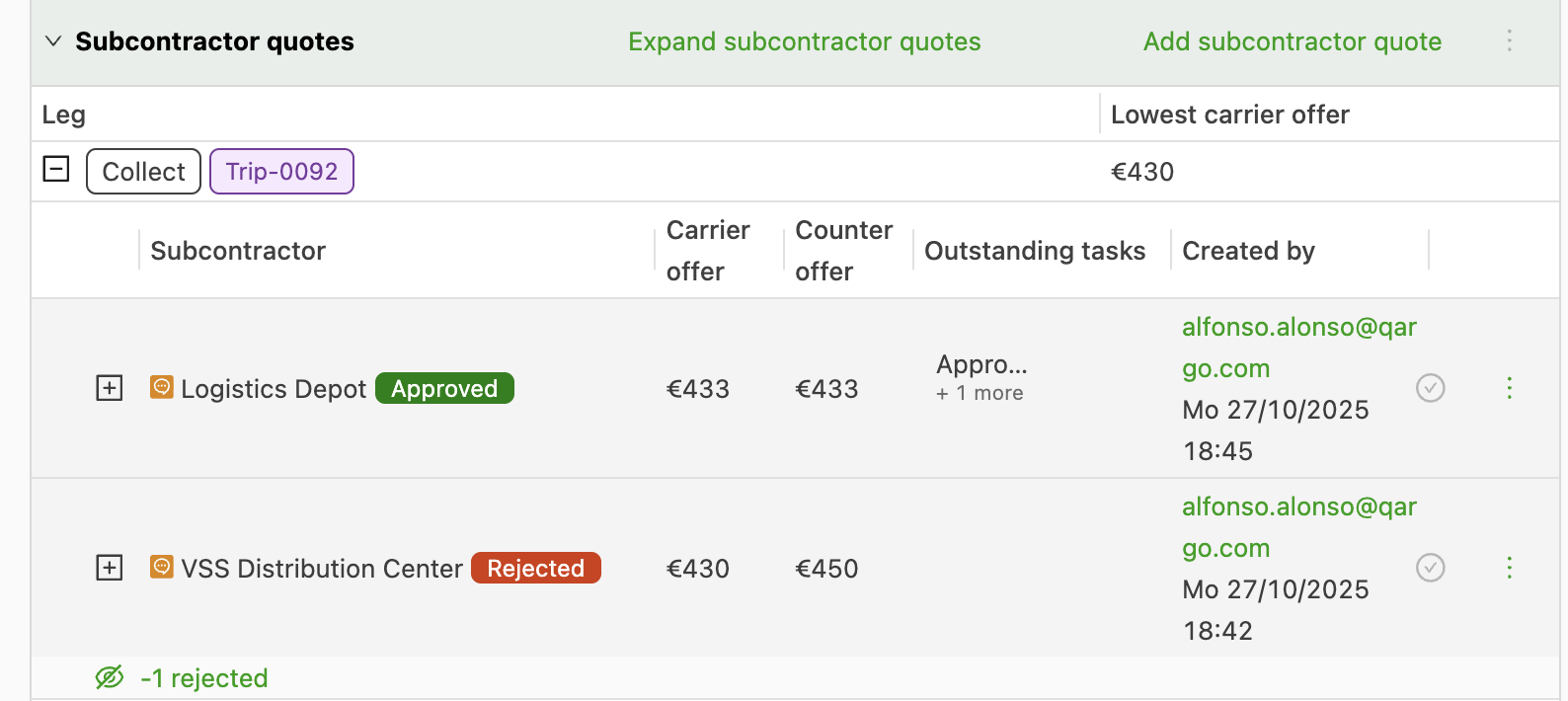
6. When ready to make a decision, reject or approve the bid by clicking the check icon.
- When a quote is approved, a load is created automatically and the contract carrier is assigned as a resource. All other quotes linked to that order leg are instantly and automatically moved to Rejected.
Additional approval steps
For organizations that require specific sign-off, configure an approval flow on the Configuration tasks tab. In the Loads section, create a new task in the Create contract carrier quotes area.
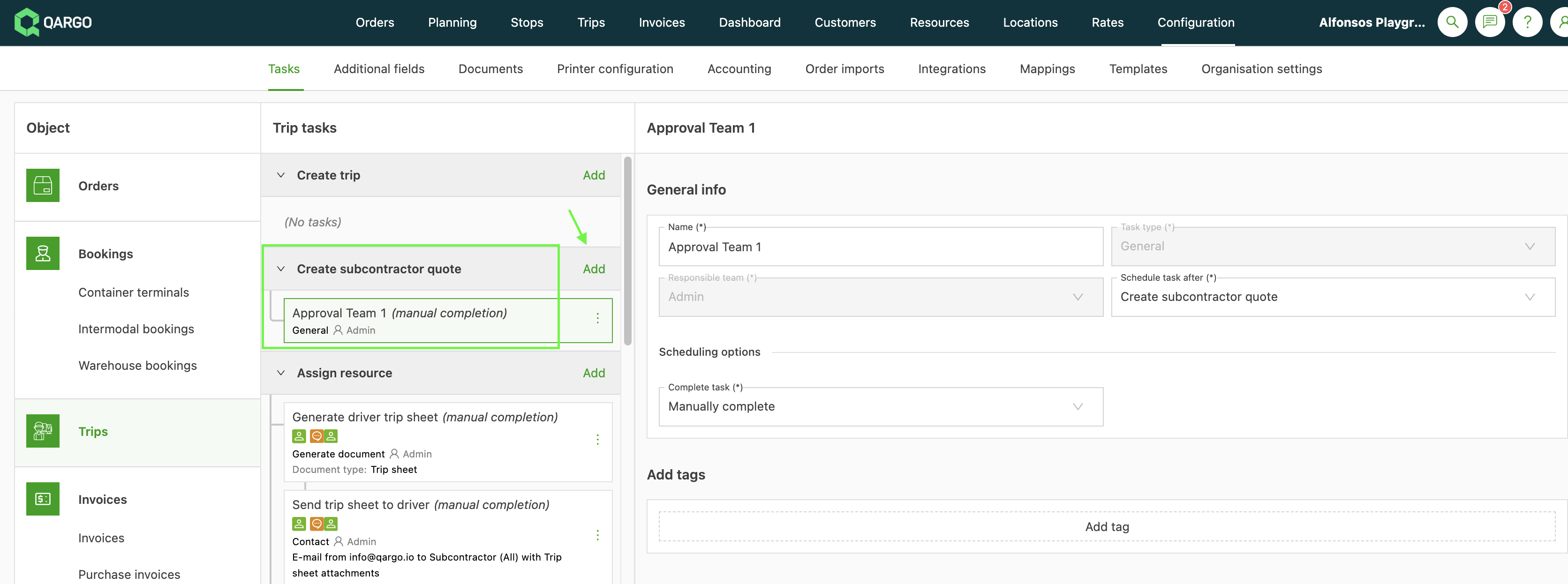
This task ensures the necessary approvals are given in the workflow before the load is fully confirmed.
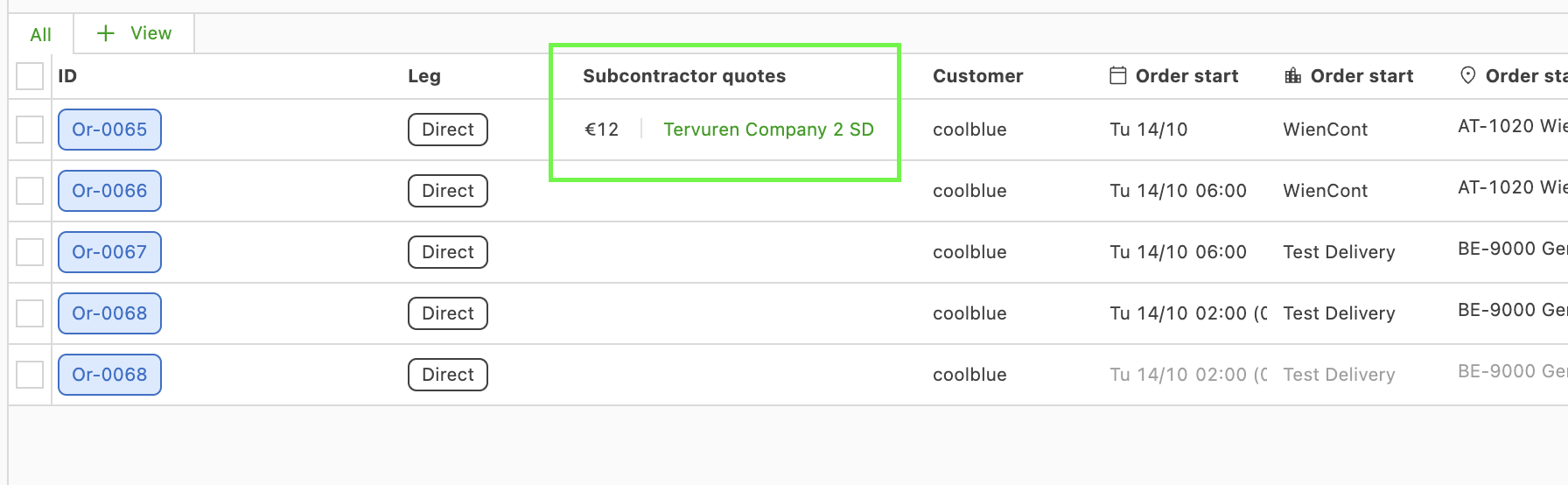
Planning module: column in list view
For quick decision-making, the Planning module has a new column that shows which orders have outstanding contract carrier quotes linked.
Clicking a contract carrier quote opens a pop-up. In the pop-up, users can quickly accept or reject the bids without leaving the planning screen.
Loads module: contract carrier quotes list view
To view all contract carrier quotes on a single screen, navigate to Loads > Contract carrier quotes.

-
Quotes are organized by status tabs, including:
-
All – View all quotes regardless of status
-
To request – Default quote status once a bid is entered.
-
To approve – Status used with an internal approval task
-
Approved – The quote is selected and the carrier will receive the load
-
Rejected – The quote will not be selected.
-
New view – Users can tailor the view to show specific details
- Use with the Edit columns option to select which data to show.
-

-
Update quote and counteroffer amounts directly from the list view
-
Click the row to open the specific order details if needed.
-
Use the menu option at the end of each row to:
- Edit – Update the status of the quote. Carrier and counteroffer amounts can be updated directly in the list view.
- Upload document – Upload a copy of the carrier quote
- Reject – Updates the status of this quote only; other quotes are not updated
🎥 Click here to watch an overview of the contract carrier quotes view.
🔔 Limitations
- Orders with outstanding quotes can still be planned manually. No warnings or alerts are displayed in these scenarios.
🔖 Use cases
- Rate comparison: Log and compare offers from multiple contract carriers directly within the order to make a quick, informed selection.
- Automated load setup: Instantly create the load and assign the resource when a quote is approved. All other bids for that leg are rejected automatically to prevent errors.
- Bid approval: Supports internal governance and cost control through the configuration of an approval workflow.
- Contract carrier benchmarking: Compare the historical cost and reliability of contract carriers on a route before requesting a quote.