
Feature releases April 2024
Table of contents
Export multiple orders from the customer portal
Clients can now get important documents easily.
Previously, clients had to reach out to request the documents they needed. Once this feature is enabled, clients can download the delivery manifest themselves.
Go to the customer portal. Filter the orders to export, if necessary. Click Export and select Delivery manifest. The PDF is then ready.
Export data from Qargo to import in Amazon carrier portal
This update is only relevant for Amazon carriers.
Hi,
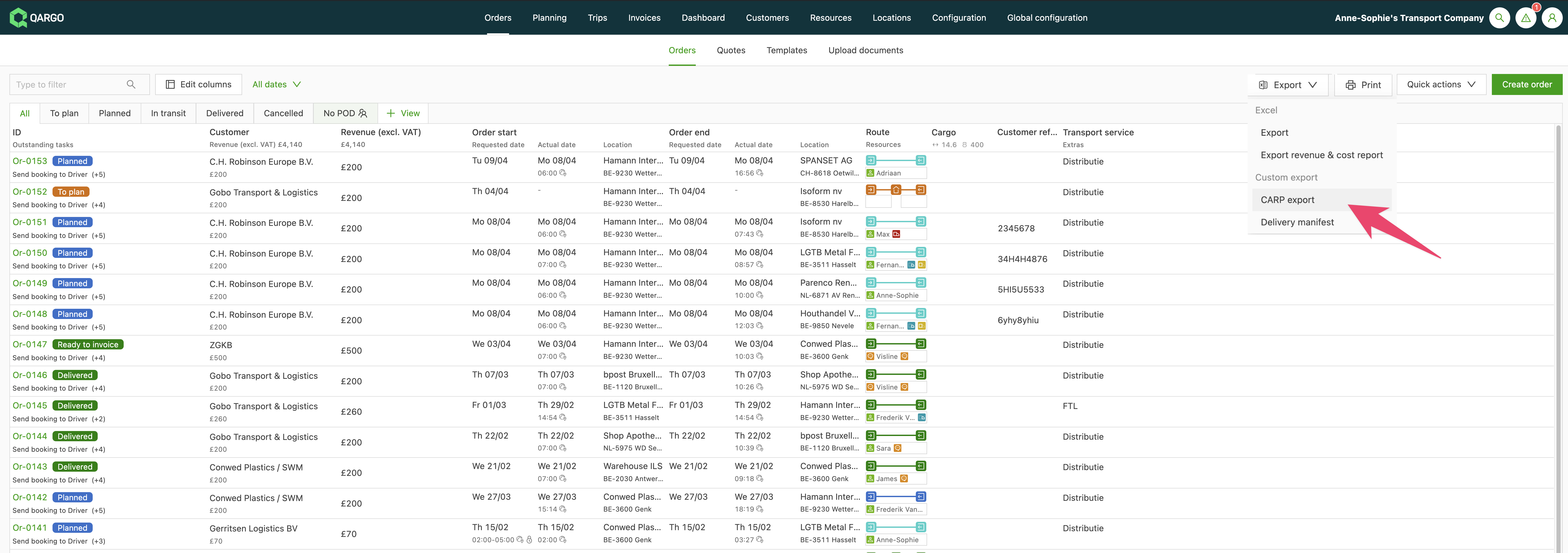
Amazon carriers need to import the requested information into Amazon’s Carrier Appointment Request Portal (CARP).
This data can now be exported from the order list view in Qargo and then imported into the Amazon carrier portal.
Advanced filtering: (not) empty filters
Qargo already offered extensive filtering. However, filtering orders without references or without specific data points was not possible.
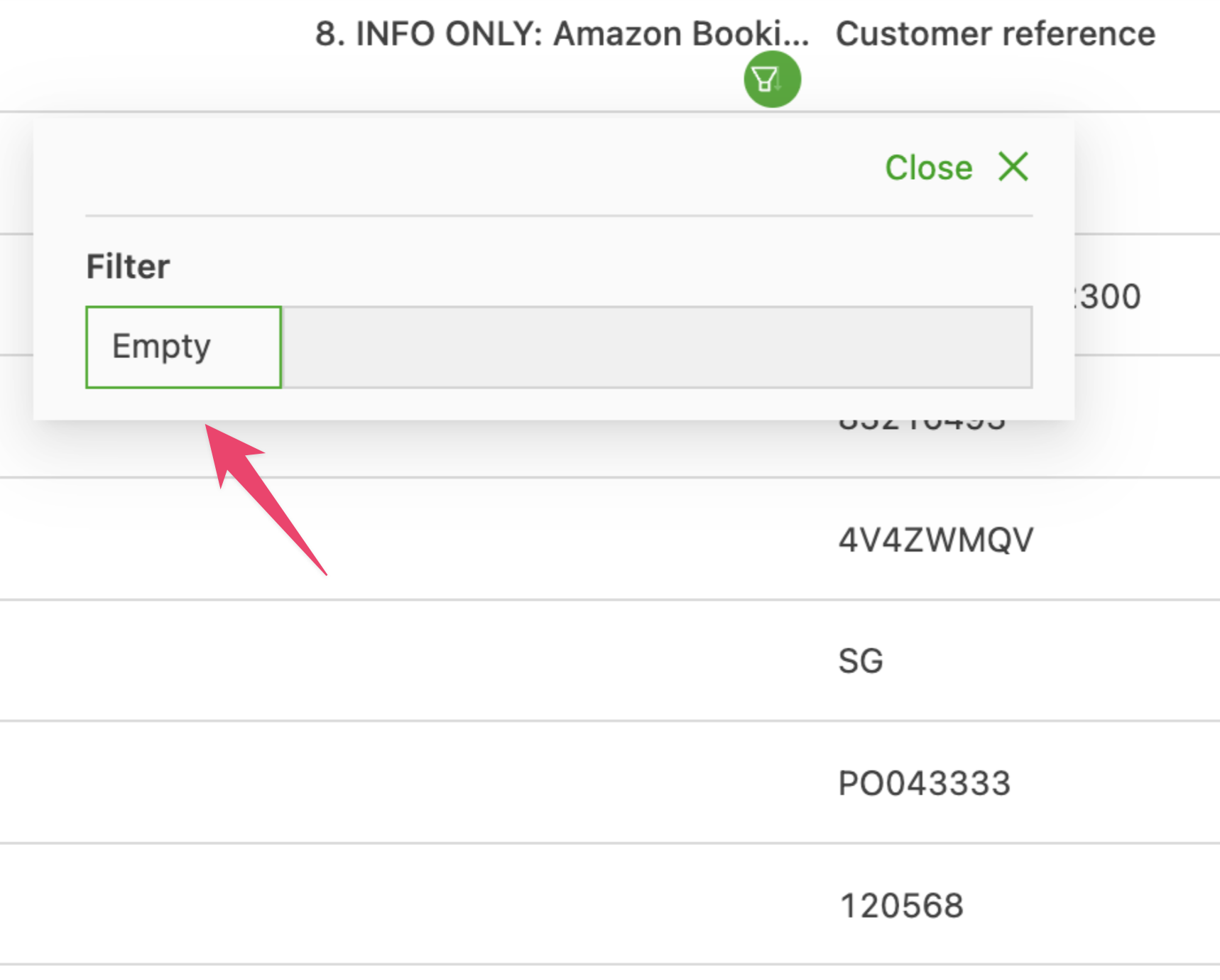
With the new Not empty and Empty filters, users can easily find orders or loads that lack references or that contain specific data.
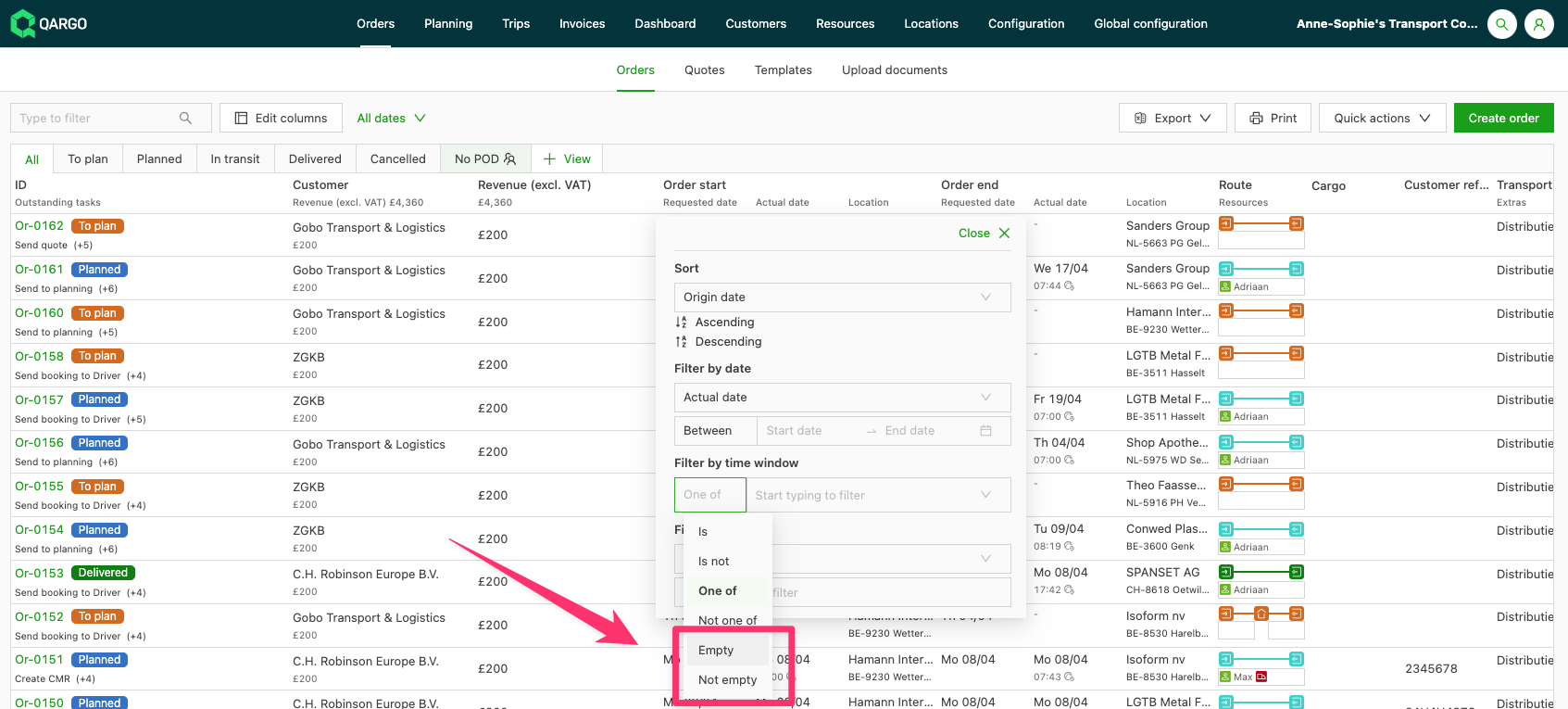
These advanced options apply to standard fields and to custom fields.
\
Collapse sections in Qargo {#h_1b7a16e45e}
Qargo provides a lot of valuable information, but not every detail is always relevant. Previously, users had to sift through long sections and could overlook critical data because of information overload.
With the latest update, sections of the screen can be collapsed by clicking the icon next to the section header.
By default, all sections are expanded. If certain details are not essential, those sections can be collapsed with a single click. Qargo also remembers these preferences, so collapsed sections stay closed when navigating to other orders, loads or invoices. More information is available here.
Navigate through the additional fields
Several improvements have been made to additional fields.
Previously, navigating the page could be difficult, and certain fields could not be marked as required or inactive.
To address this, the page has been redesigned with a table view for easier navigation.
New standard fields, such as Service Level and Weight, have also been added. Fields can now be made required or inactive as needed.
More information is available here.