
FAQ - Managing Users & Portal Access in Bulk
This article explains how to use new bulk actions for user removal and portal access management to save time on administrative cleanup.
Q: I need to clean up my system after a large testing phase (like a GO LIVE in a sandbox) or efficiently off-board multiple external users. How do I use the bulk actions to save time?
A: You can easily process many accounts at once using the bulk management features, significantly cutting down on administrative cleanup time:
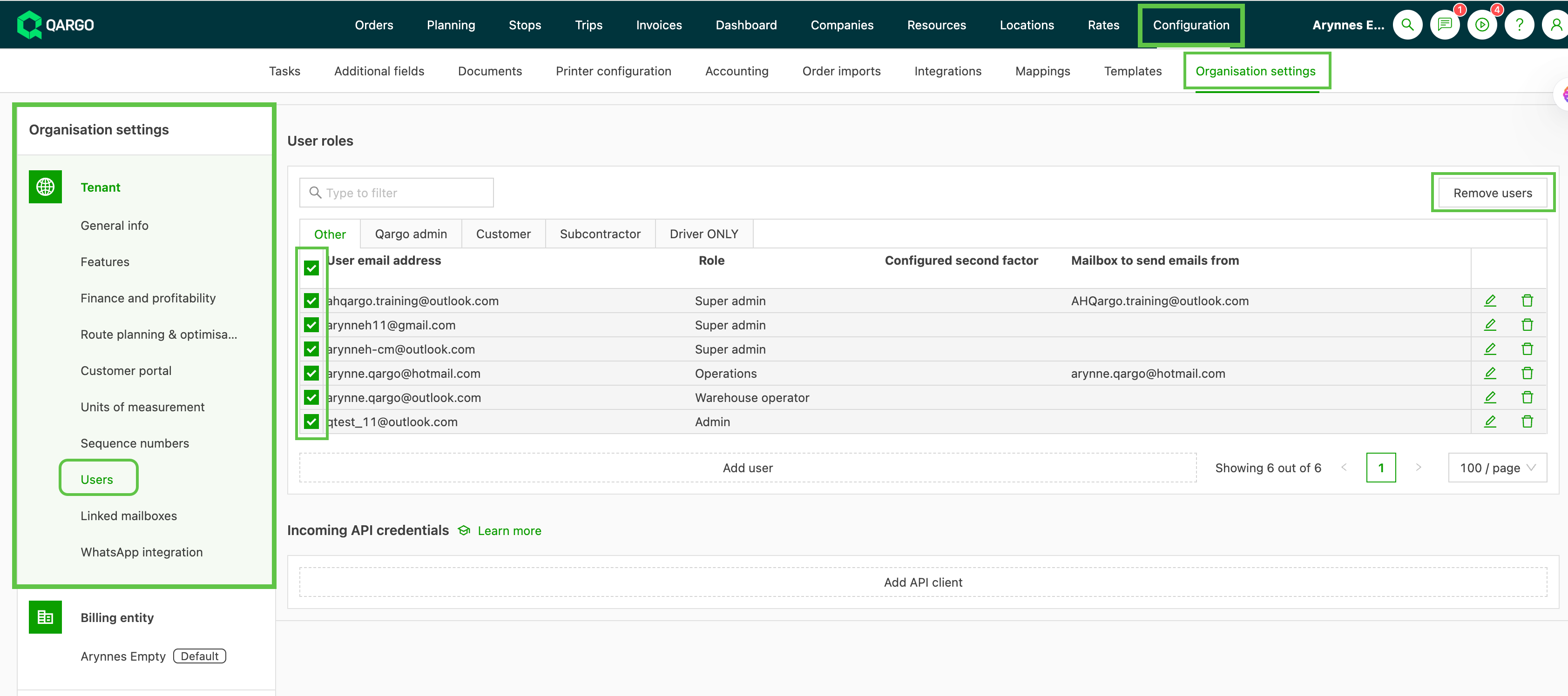
1. Bulk User Removal (Normal Users & Admins): Bulk remove users from your tenant.
- Navigate to CONFIGURATION > Organisation Settings > Users.
- Select the users to remove
- Use the ‘Remove Users’ button to delete them simultaneously.
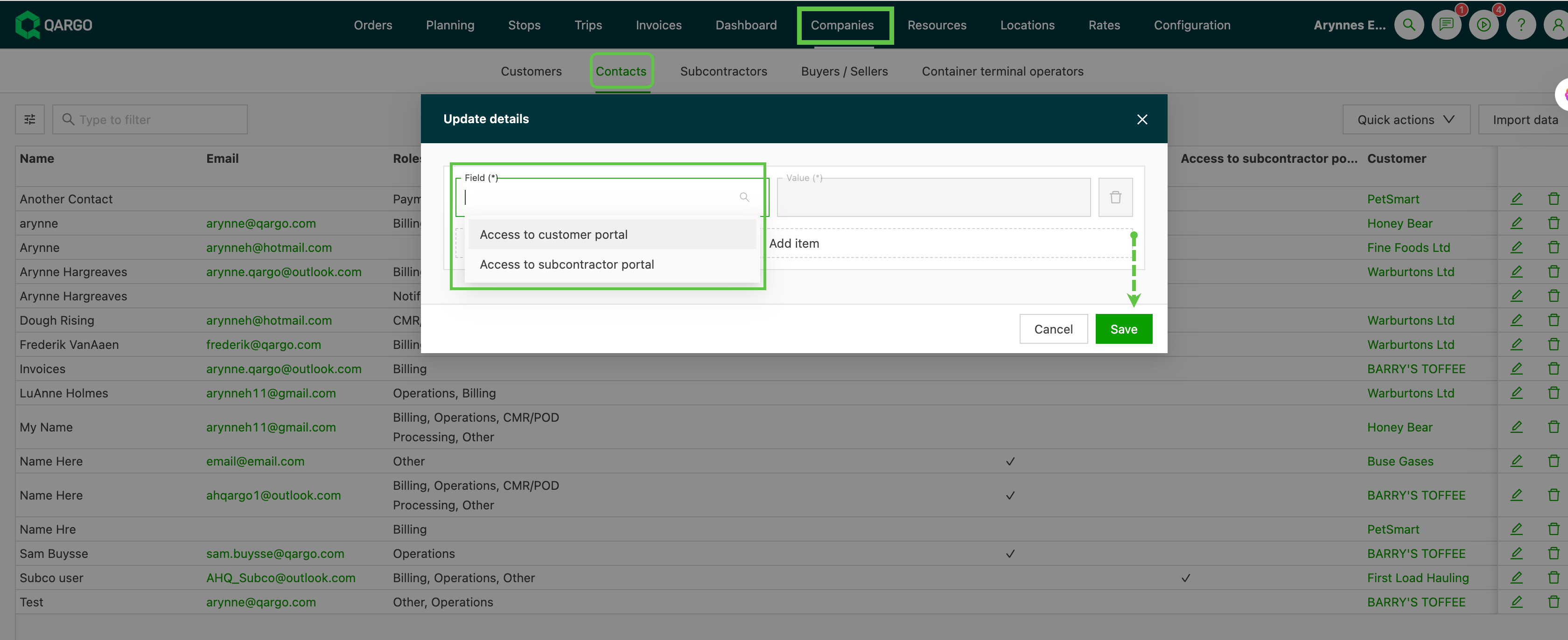
2. Bulk Portal Access Removal (Customer/Subcontractor Contacts): Revoke external access for multiple customer or subcontractor contacts to customer / subcontractor portal.
- Navigate to COMPANIES > Contacts tab.
- Use quick action to select the contacts
- and collectively remove their access to the Customer Portal and/or the Subcontractor Portal in one step.
These functionalities eliminate the need for repetitive, one-by-one actions, ensuring your user and access lists are accurate and secure.